

Enable invisible CAPTCHA in KickoffLabs
Open Leads → Protection in the campaign. If your plan includes advanced protection, turn on Enable invisible captcha and save. KickoffLabs says published pages and compatible AnyForm scripts are redeployed after the change. It also warns that an older AnyForm bridge may not use CAPTCHA; recreate that bridge before relying on it for every external form.
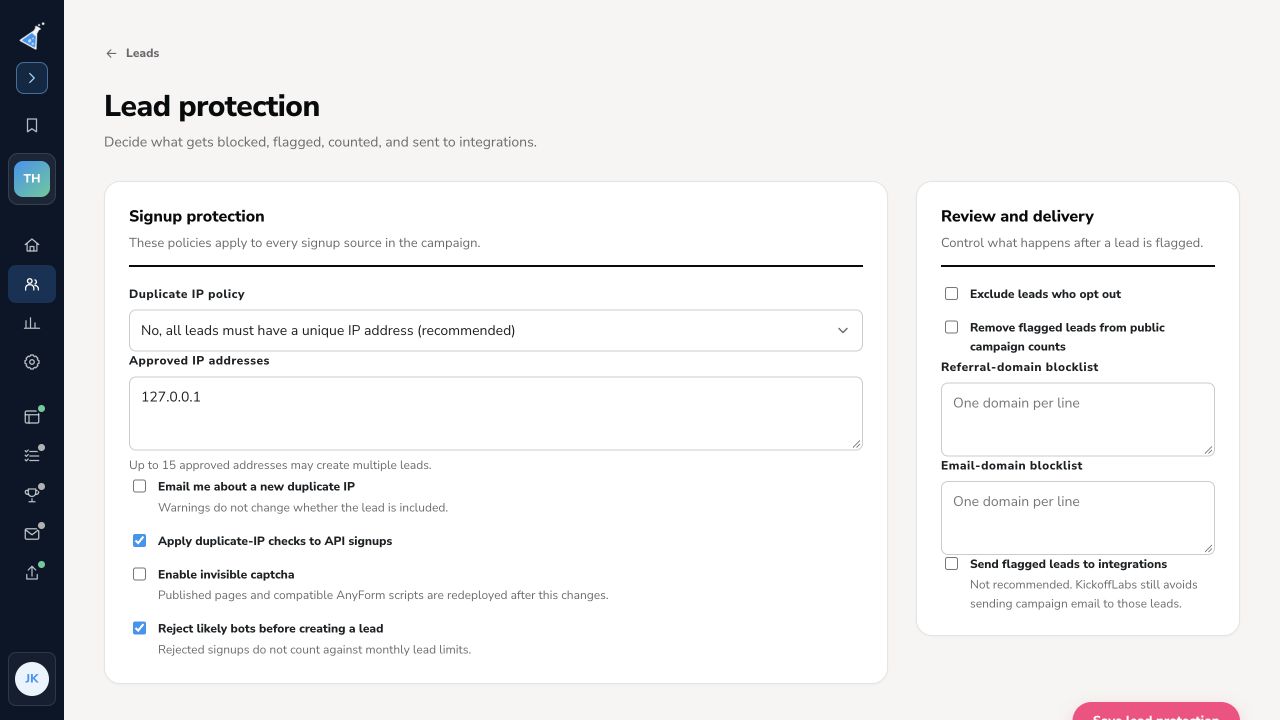
Test a normal synthetic signup on each active source after republishing. Review Leads for the result and monitor whether legitimate visitors are blocked. CAPTCHA is one layer of protection; KickoffLabs also has bot rejection, duplicate-IP policy, and blocklists. The classic Setup → All Settings → Manage Captcha route is obsolete.
Need help? Email support@kickofflabs.com with the campaign and page URLs, the step you tried, and the observed result. Keep private credentials out of the message.