

Translate a campaign into another language
Every campaign has one language. Visitors see your pages, buttons, form labels, dates, and leaderboard headings in it. You can start a campaign in any of 46 languages, switch an existing campaign to a new one, and have KickoffLabs translate your page text for you. Translation is available on every plan.
There are three common jobs:
- Start in another language. Write your campaign brief in that language. The first draft is generated in it. See Start a campaign in another language.
- Translate a campaign. Change the campaign’s language and let KickoffLabs translate the pages into drafts you review. See Translate an existing campaign.
- Run a version for another language or region. Copy the campaign, then translate the copy. See Run versions for other languages or regions.
What changes when you change the language
Section titled “What changes when you change the language”| Text | What happens | When visitors see it |
|---|---|---|
| Built-in wording: buttons, form labels, dates, countdowns, leaderboard headings, cookie banner | Switches to the new language automatically. | As soon as you save. Published pages update on their own. |
| Your page text: headlines, prize and offer details, FAQ, how-it-works, any text you or the AI wrote | Translated by AI when you choose to translate your pages, and saved as an unpublished draft. | When you publish the translated draft. |
| Rewards and bonus actions: reward names and descriptions, action labels | Translated with your pages. | When you publish a translated page. |
| Wording & messages: point and rank words, thank-you and error messages, greetings | Translated with your pages. | Right away, because these are shared across the campaign. |
| Campaign emails and official rules | Not translated. | Edit these yourself in Emails and in your terms. |
Page translation works on pages built in the KickoffLabs page designer.
Start a campaign in another language
Section titled “Start a campaign in another language”Write the brief in the language you want. When you create a new campaign, KickoffLabs detects the language of your brief. If it is one of the supported languages, the campaign is set to that language and the first draft is written in it: page text, buttons, form labels, and dates.
-
Write the brief in your language
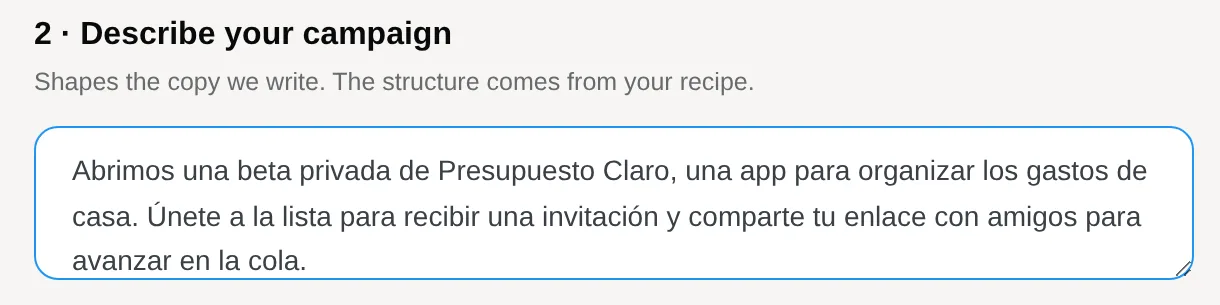
Section titled “Write the brief in your language”From Campaigns, select + New campaign and pick a recipe. Under Describe your campaign, write the brief in the language your visitors speak. Each campaign type has an En español example you can start from.
-
Create the draft and confirm the language
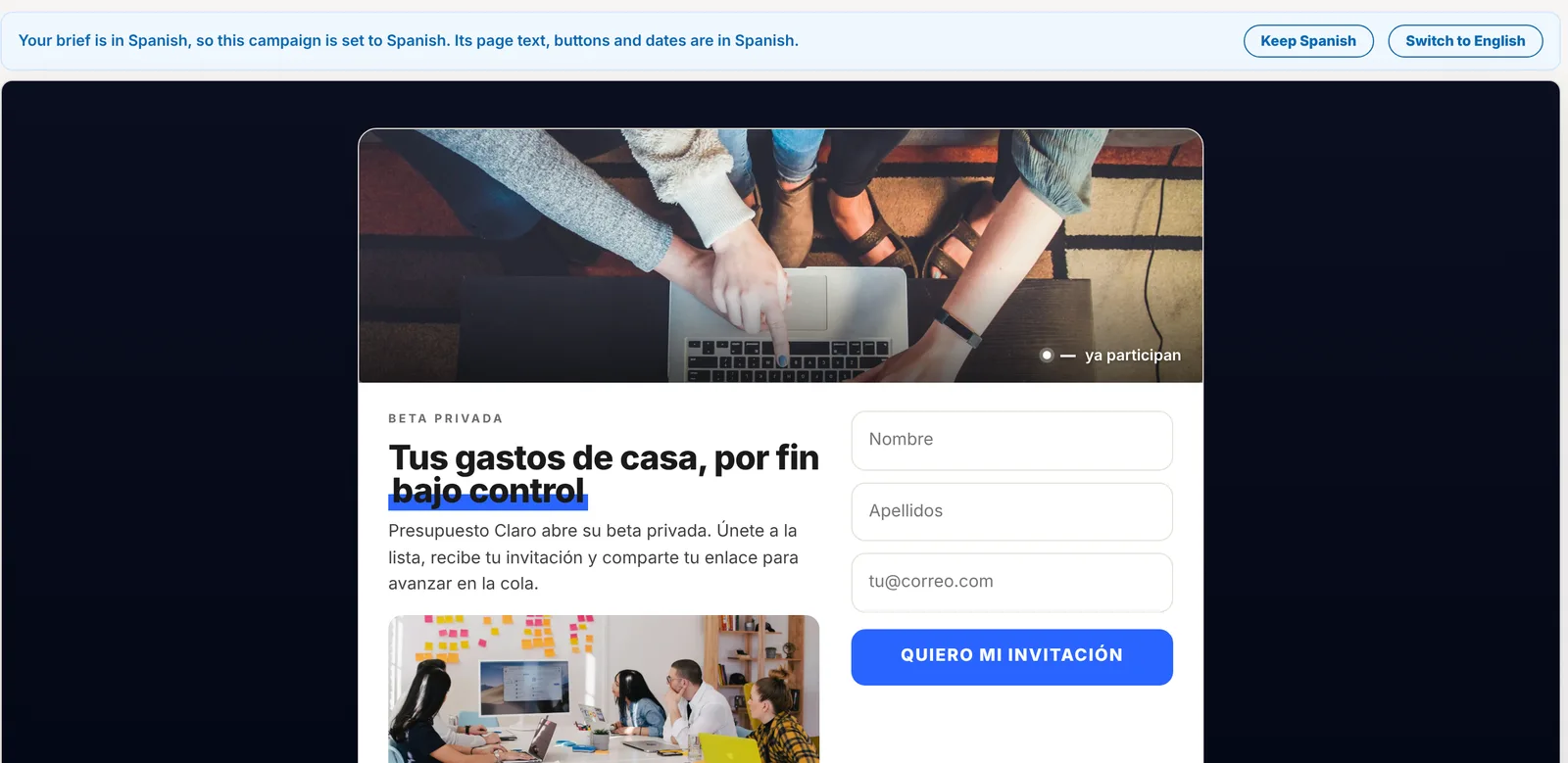
Section titled “Create the draft and confirm the language”Select Create my draft. When the designer opens, a note above the page confirms the language it picked, for example “Your brief is in Spanish, so this campaign is set to Spanish.”
- Select Keep Spanish if that is right.
- Select Switch to English (or whichever language the campaign had before) to change it back. KickoffLabs translates the pages back into that language as drafts for you to review.
-
Review and publish
Section titled “Review and publish”Review the draft as you would any new campaign, then publish. Remember to write your campaign emails and official rules in the same language. Launch your first campaign.
Detection only happens when you create a new campaign. Adding a page to an existing campaign keeps the campaign’s language. A brief written in English, or in a language KickoffLabs does not support, keeps the campaign in English.
Translate an existing campaign
Section titled “Translate an existing campaign”-
Open Campaign settings
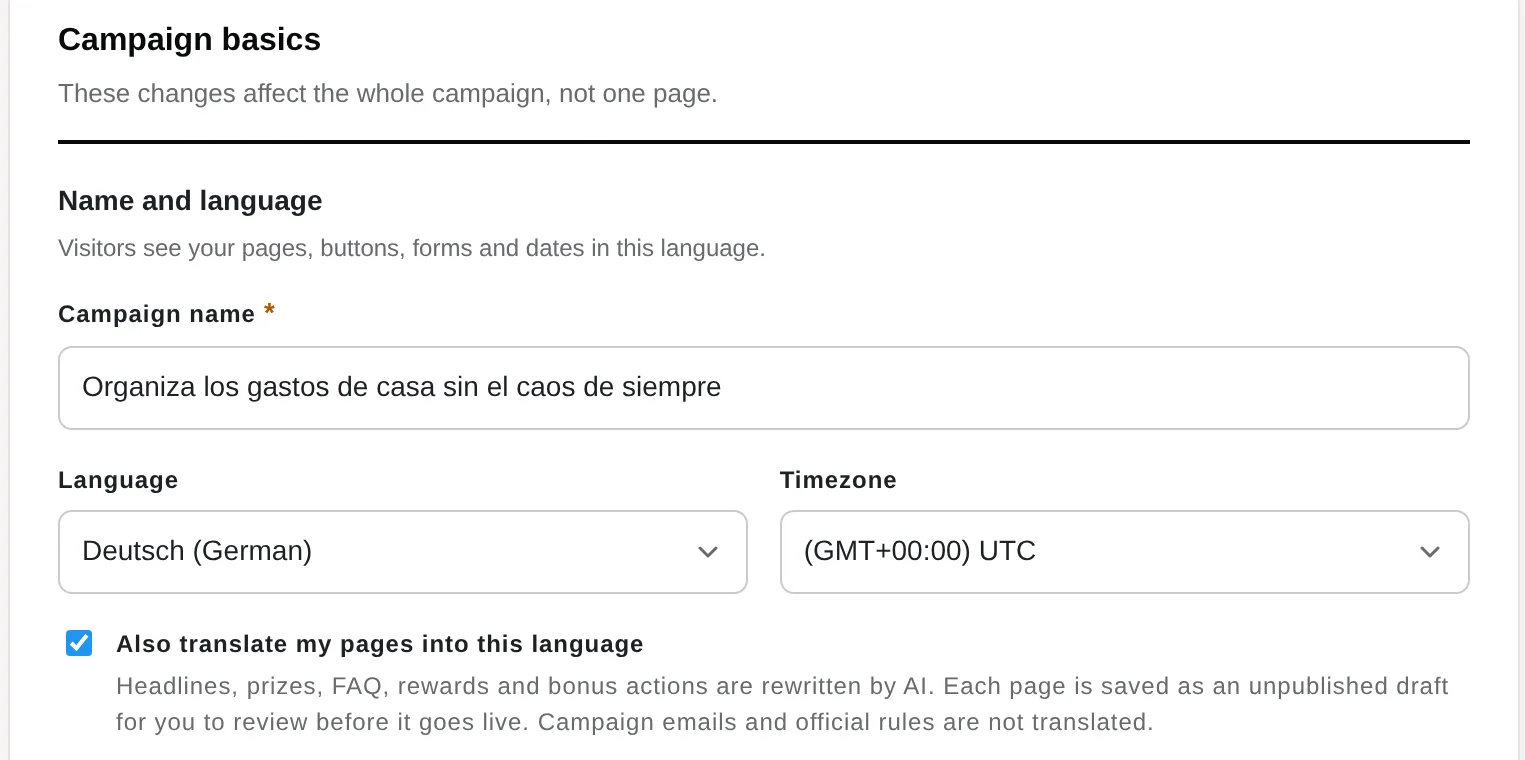
Section titled “Open Campaign settings”Open the campaign and select Campaign settings. Language sits next to Timezone under Name and language.
-
Choose the new language
Section titled “Choose the new language”Pick the language from the Language list. The Also translate my pages into this language switch turns on by itself when you change the language. Leave it on to translate your page text. Turn it off if you only want the built-in wording to change and plan to rewrite your text yourself.
-
Save and wait for the drafts
Section titled “Save and wait for the drafts”Select Save campaign settings. A message tells you how many pages are being translated. Translation usually takes about a minute per page. In the designer, a note says the page is translating, and the page reloads when its draft is ready.
-
Review each translated page
Section titled “Review each translated page”Under Translated pages to review in Campaign settings, select Review next to each page.
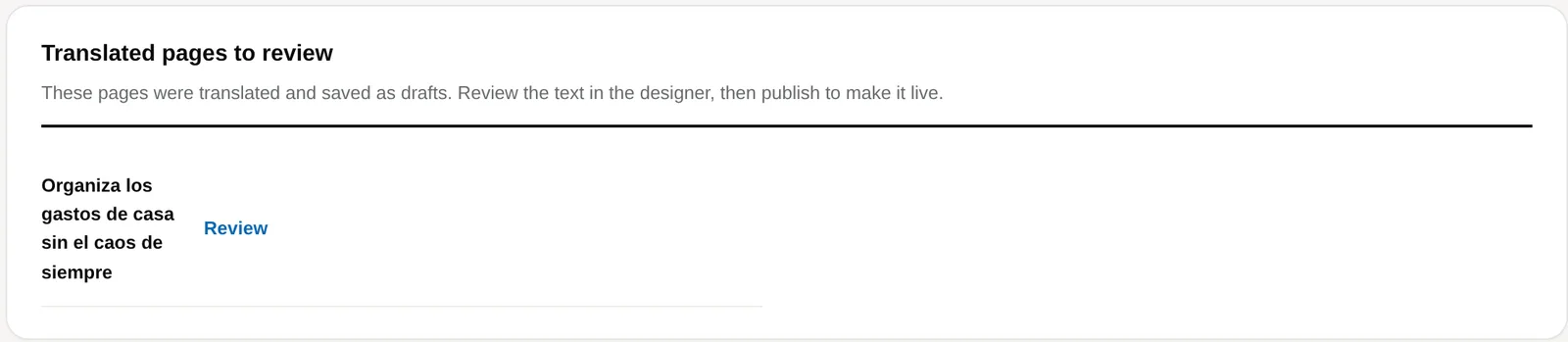
The designer shows a note: “Translated into German. This is an unpublished draft.” Read the text in both the Signup and Post-signup views and fix anything that doesn’t sound right. Ask a native speaker to read it if you can.
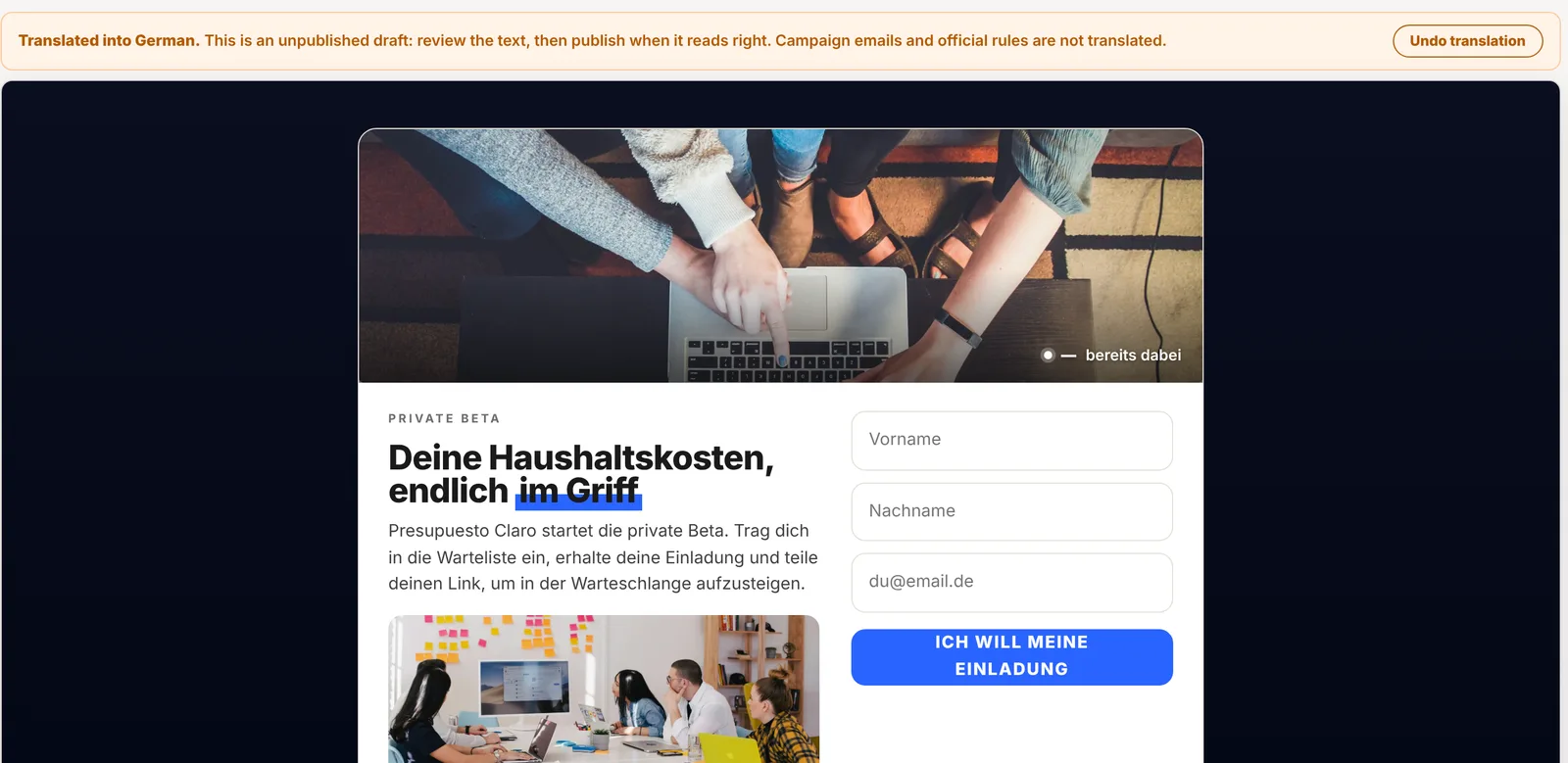
If you don’t want the translation, select Undo translation. Your original text comes back on the draft. Any text you edited after the translation stays as you edited it.
-
Publish
Section titled “Publish”Select Publish page for each translated page. Publishing a translated page also switches your reward names and descriptions and your bonus action labels to the new language.
-
Update emails and rules
Section titled “Update emails and rules”Campaign emails and official rules are not translated. Open Emails and rewrite each email you use in the new language, then update your terms. Edit your terms.
Translate one page
Section titled “Translate one page”To translate a single page into the campaign’s language, open the page in the designer, select Settings, and select Translate page under Layout & content. It saves a draft for review, the same as above. You can use it any time, for example after you add new text to a page.
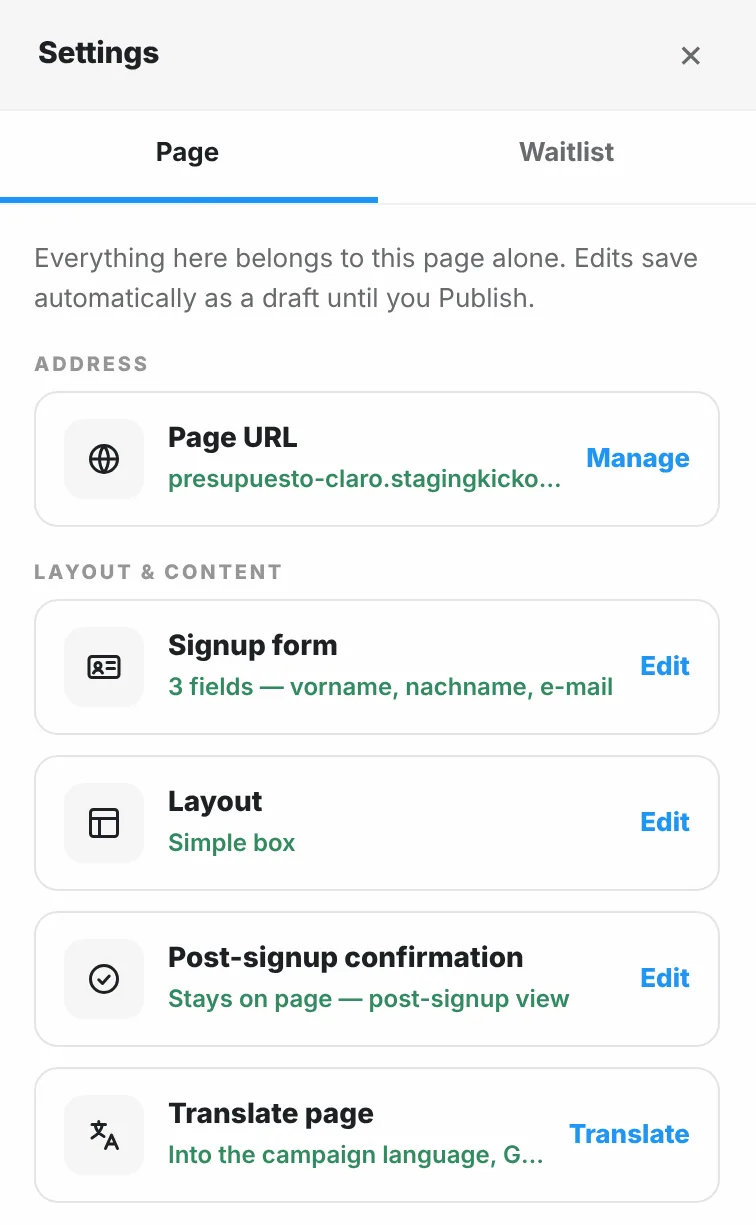
If a page’s text is in a different language from the campaign (for example, after you changed the language with the translate switch off), the designer may show a note such as “This page’s text is in English, but the campaign language is German.” Select Translate page to fix it.
If a translation doesn’t finish, nothing on the page changes. Select Try again.
Run versions for other languages or regions
Section titled “Run versions for other languages or regions”A campaign has one language, so each language version is its own campaign. This also works for regional versions, such as a different prize, currency, or end date for each country.
-
Copy the campaign
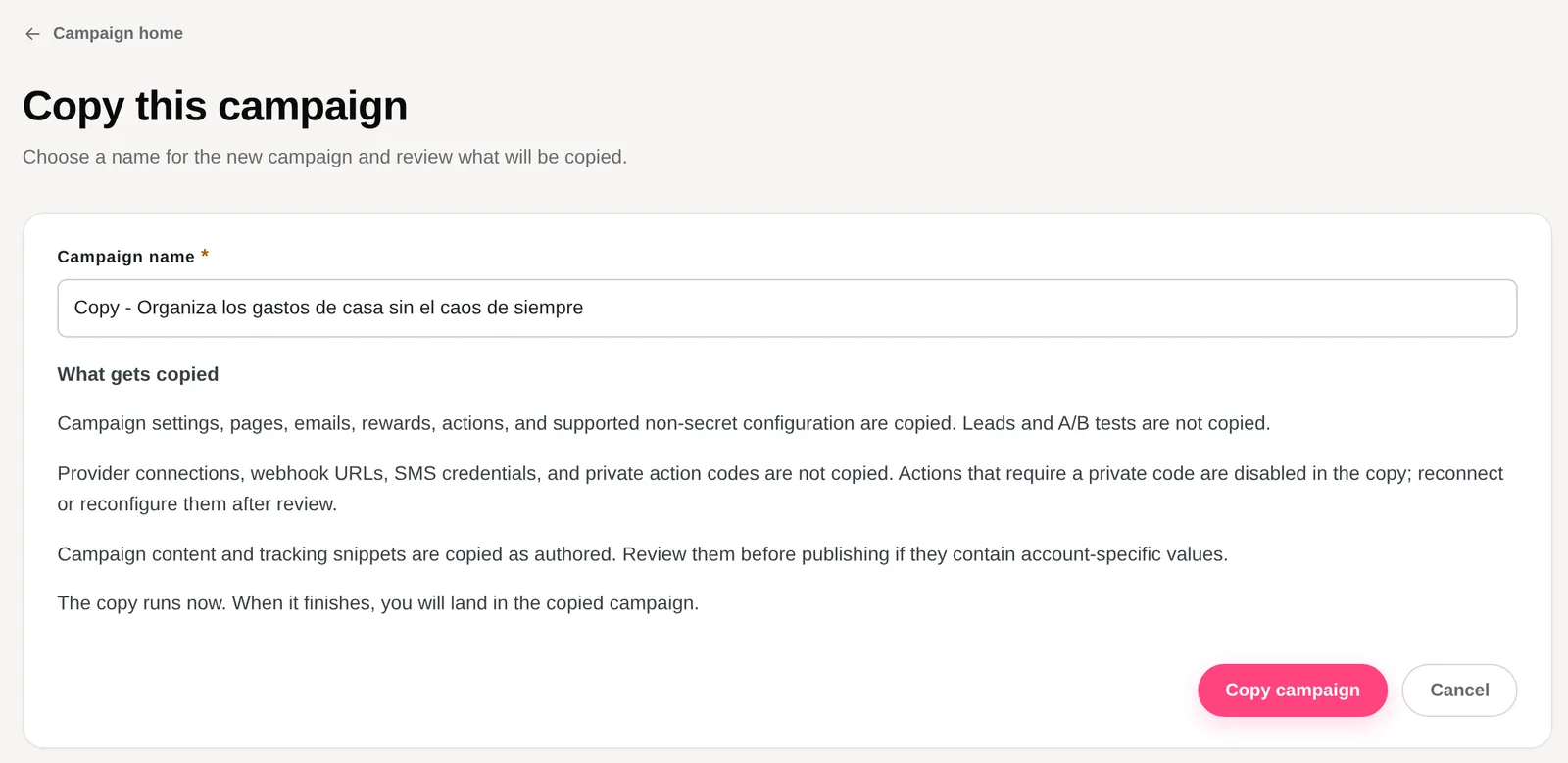
Section titled “Copy the campaign”From Campaigns, open Manage and select Duplicate, or select Copy campaign on the campaign’s overview. On Copy this campaign, name the copy after the language or region, for example “Summer giveaway (DE)”, and select Copy campaign. Pages, emails, rewards, actions, and settings are copied. Leads are not. Each copy counts toward your plan’s campaign limit.
-
Translate the copy
Section titled “Translate the copy”In the copy, open Campaign settings, choose the language, keep Also translate my pages into this language on, and save. Then review and publish the drafts as described above.
-
Make the regional changes
Section titled “Make the regional changes”Edit the prize, prices, dates, and timezone for the region. Rewrite the emails and rules. Use a page URL or custom domain that fits the market, then share each version with its audience.
Edit wording and messages
Section titled “Edit wording and messages”Wording & messages holds the campaign’s shared text: the words for points and rank, thank-you and waitlist messages, greetings, and form error messages. Open Campaign settings and select Edit next to Wording & messages.
Saving updates published pages right away. You don’t need to republish the page design. Check the live page after saving.
Tips for campaigns in other languages
Section titled “Tips for campaigns in other languages”- Write the brief in the visitor’s language. You get a native first draft instead of a translation, and the AI picks examples and phrasing that fit.
- Have a native speaker review before launch. AI translation is a strong first draft, not a final proofread. Prize details, dates, and legal terms matter most.
- Match every touchpoint. A Spanish page with an English welcome email feels like a mistake. Translate emails, rules, and social share text too.
- Localize the offer, not just the words. Prices, currency, shipping limits, and eligibility often change by country. A copy per region keeps each one clear.
- Check long words on mobile. German and Finnish words can be much longer than English. Preview the page on a phone before you publish.
Go deeper
Section titled “Go deeper”- Write a campaign brief: what to put in the brief, in any language.
- KickoffLabs strategy guides: planning the offer and promotion for each market.
Need help? Email support@kickofflabs.com with the campaign URL, the language you chose, and the page that didn’t translate as expected.