

Campaign dashboard overview
The dashboard has two levels: Campaigns shows your account’s campaigns, and opening one campaign shows its own leads, pages, settings, and launch status.
Find or create a campaign
Section titled “Find or create a campaign”Select Campaigns in the left navigation to see your campaign list. Search or sort the list, select Open to continue an existing campaign, or select + New campaign to start one. A campaign card shows whether its signup source is a draft or live and whether it still needs a signup test.
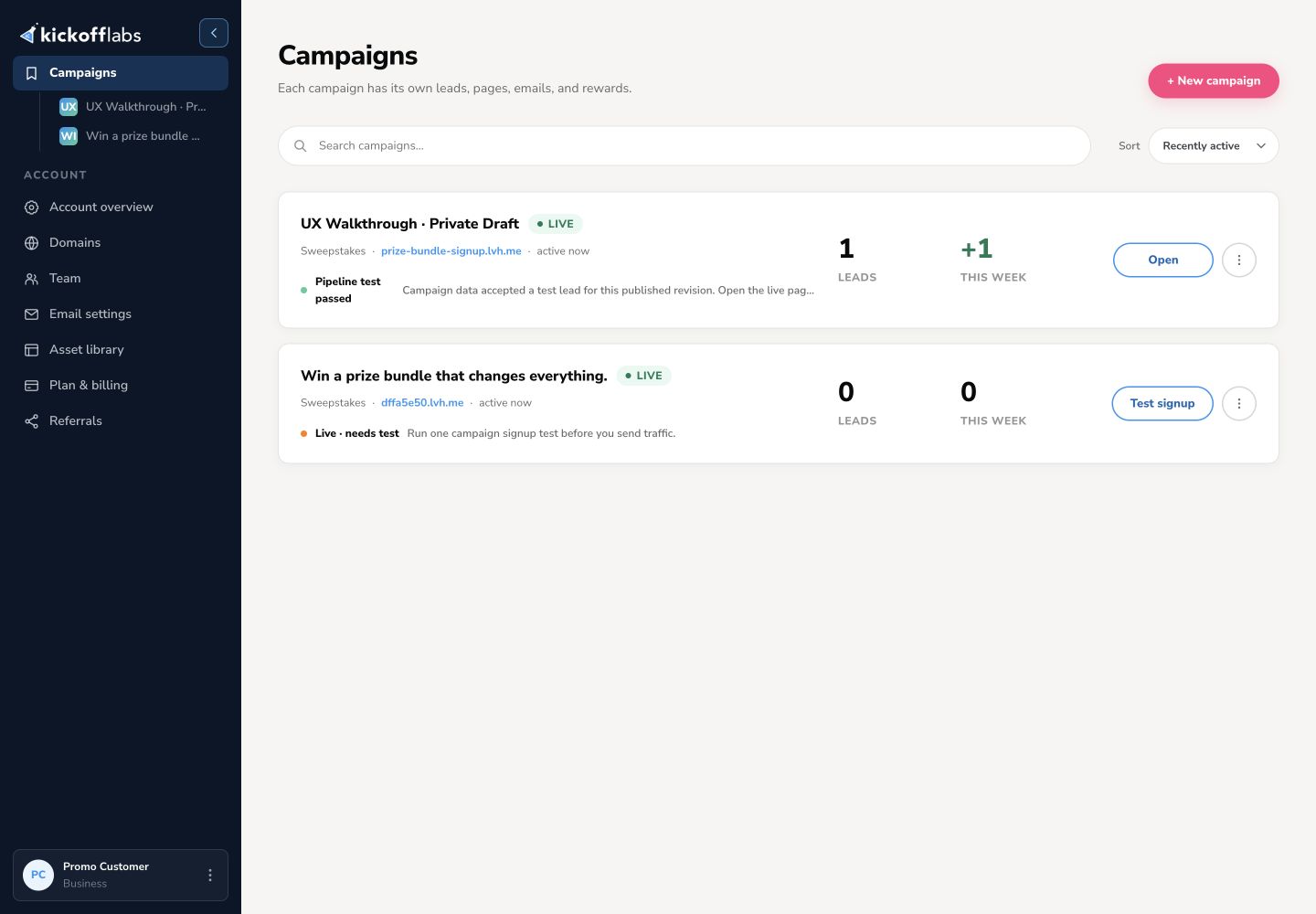
The Account links below the campaign list lead to account-wide settings such as domains, team, email settings, assets, and billing. These are separate from one campaign’s settings.
Work inside a campaign
Section titled “Work inside a campaign”Open a campaign to see its overview. The left navigation groups daily work under Campaign and setup work under Build.
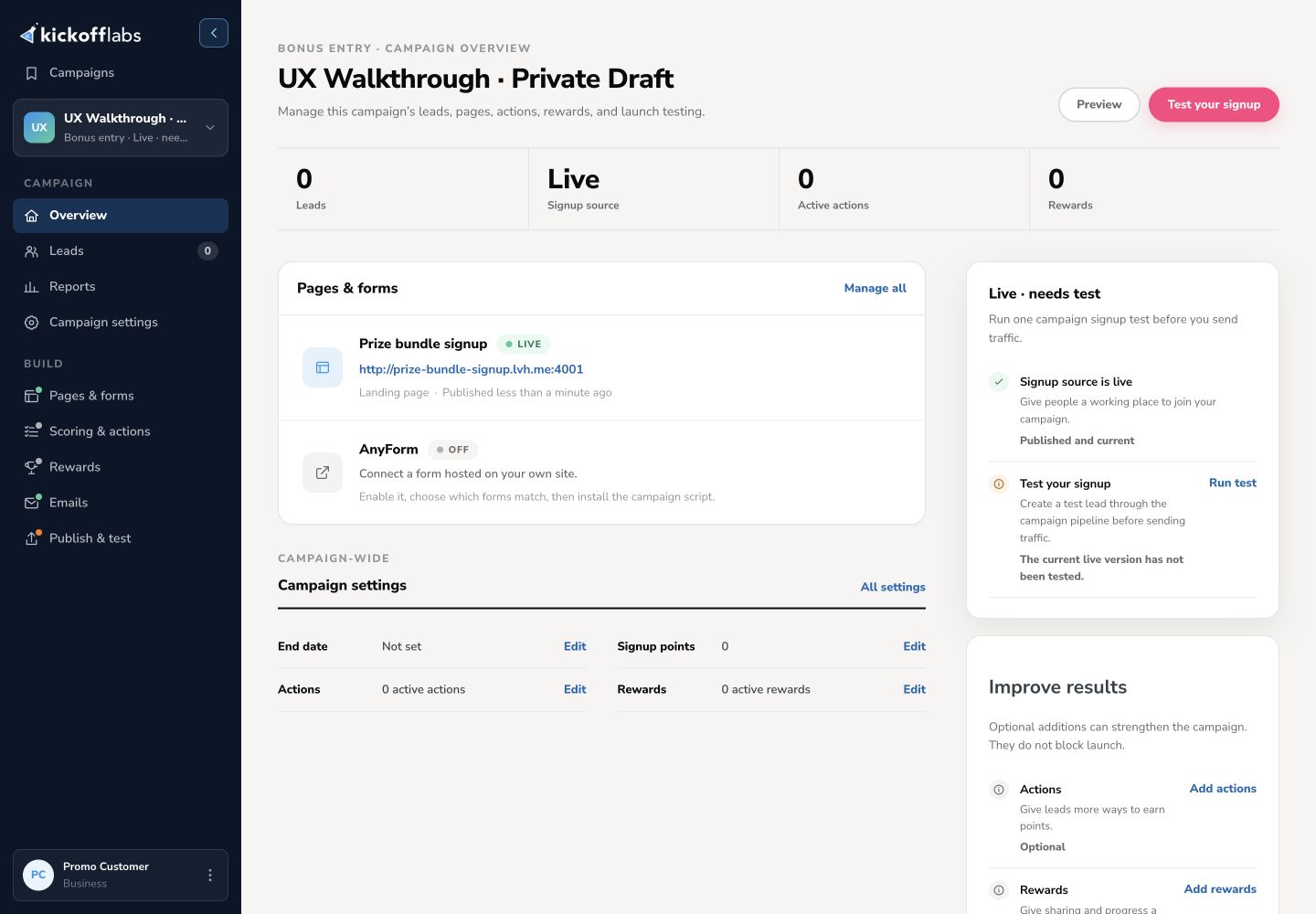
| Area | Use it for |
|---|---|
| Overview | Check lead and signup-source status, open a page, and follow the launch checklist. |
| Leads | Find, filter, review, and export campaign leads. |
| Reports | Review campaign results and traffic. |
| Campaign settings | Change settings shared by the whole campaign. |
| Pages & forms | Add, preview, edit, and publish landing pages or manage other signup sources. |
| Scoring & actions | Set signup and referral points and configure Contest Actions. |
| Rewards | Set referral or points-based rewards. |
| Emails | Configure the messages sent to leads. |
| Publish & test | Check page publishing and run a campaign signup test before sending traffic. |
Use the campaign switcher near the top of the navigation to move between campaigns. Select Campaigns to return to the account list.
Understand draft, live, and test status
Section titled “Understand draft, live, and test status”Each page has its own publish status. A page can have a private draft while an earlier version remains live. Preview shows the saved draft; Publish updates the public version. The campaign overview and Publish & test show whether a signup source is live and whether a test lead was accepted for the current published revision.
The built-in campaign signup test creates or updates a lead through the campaign pipeline. It does not submit the public page for you. Open the live page and try its form as a visitor before sending traffic.
Next steps
Section titled “Next steps”Need help? Email support@kickofflabs.com. Include your campaign URL, the dashboard area you are using, and what you expected to happen.