

Create a waitlist campaign
A waitlist collects interest before you launch. With referrals turned on, each person who joins gets a personal share link and moves up the list when friends sign up through it. This guide walks through building one in the dashboard, from picking a recipe to testing the referral loop.
Planning the launch, not just the page? The Building a Waitlist guide on kickofflabs.com covers the strategy: what to promise, which emails to send, and how to promote the waitlist. This article covers the setup.
Pick the right recipe
Section titled “Pick the right recipe”The recipe decides how people move up the list. You can change points and rewards later, but it is easiest to start with the closest match.
| Recipe | How it works | Use it when |
|---|---|---|
| Simple Waitlist | Collects emails. No referral mechanics. | You only need a “notify me” list, or sharing would not change anything for the subscriber. |
| Referral Waitlist | Each signup gets a share link and moves up the list as friends join. | Earlier access is genuinely valuable, for example a limited beta or launch pricing. |
| Waitlist + Milestone Rewards | Everyone on the list unlocks perks at referral thresholds. | You can offer useful perks at clear goals, such as a beta invite at 3 referrals. |
If you’re not sure, start with Referral Waitlist. It is the classic Robinhood-style loop, explained in the Robinhood waitlist playbook.
Build it step by step
Section titled “Build it step by step”-
Choose the recipe
Section titled “Choose the recipe”From Campaigns, select + New campaign, open Waitlist, and pick your recipe. The preview on the right lists what will be created: the signup page, the after-signup view with position and share links, and the drafted campaign emails.
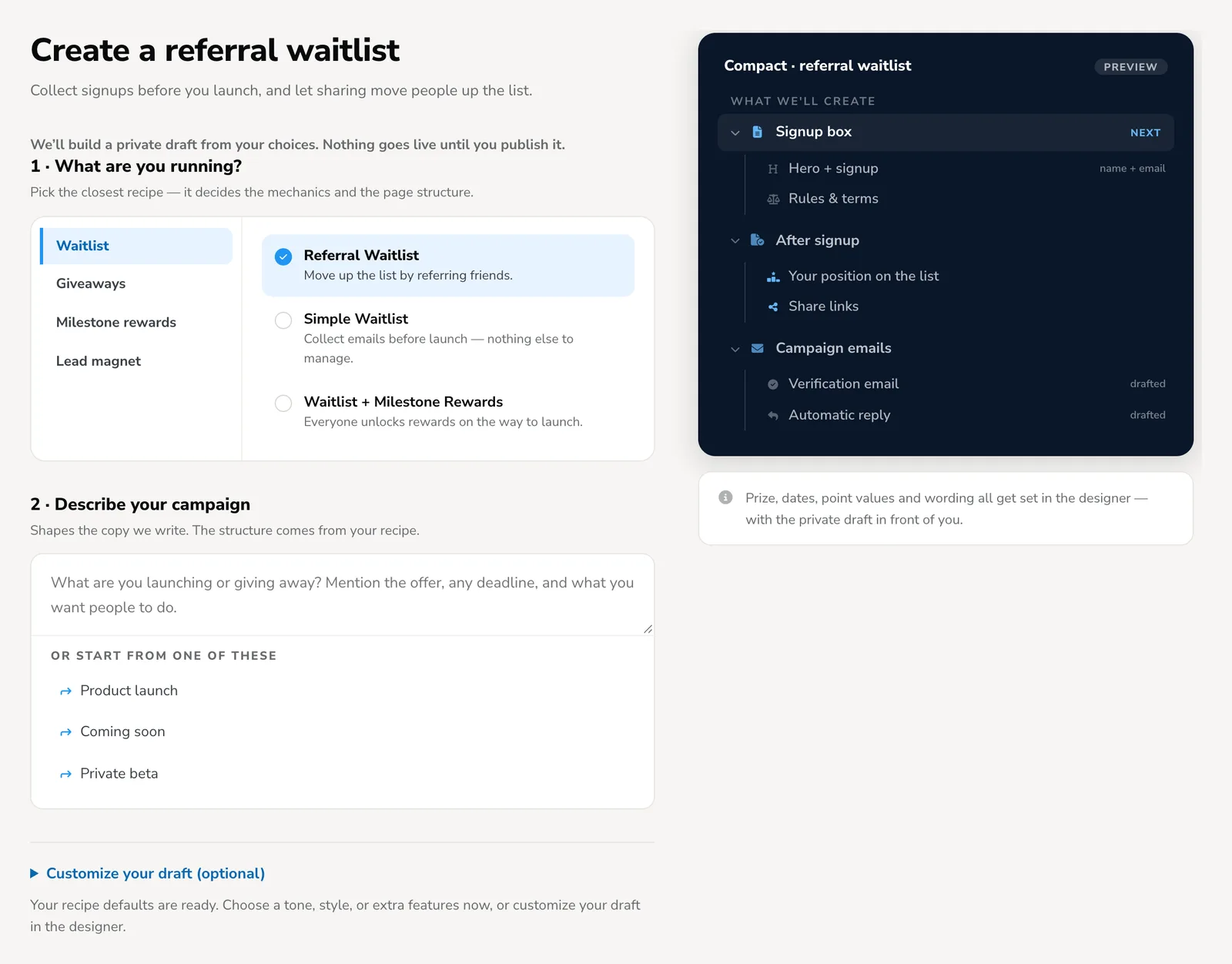
Already signed in? You can open the Referral Waitlist recipe directly.
-
Describe your campaign
Section titled “Describe your campaign”Under Describe your campaign, write two or three sentences. KickoffLabs uses them to write the first draft of your page copy. Include:
- Who it’s for and what you’re launching.
- What people get for joining, such as early access, launch pricing, or a beta invite.
- When you expect to launch, if you know.
- Why sharing helps, such as “every friend who joins moves you up the list”.
Open Customize your draft to choose the format and look. Compact builds a simple signup box. Long Form builds a full page with sections for benefits and an FAQ. You can also pick a tone and a starting style. Select Create my draft when you’re ready.
-
Edit the signup view
Section titled “Edit the signup view”The draft opens in the designer on the Signup view. Click any text to edit it, and replace the placeholder image with your own.
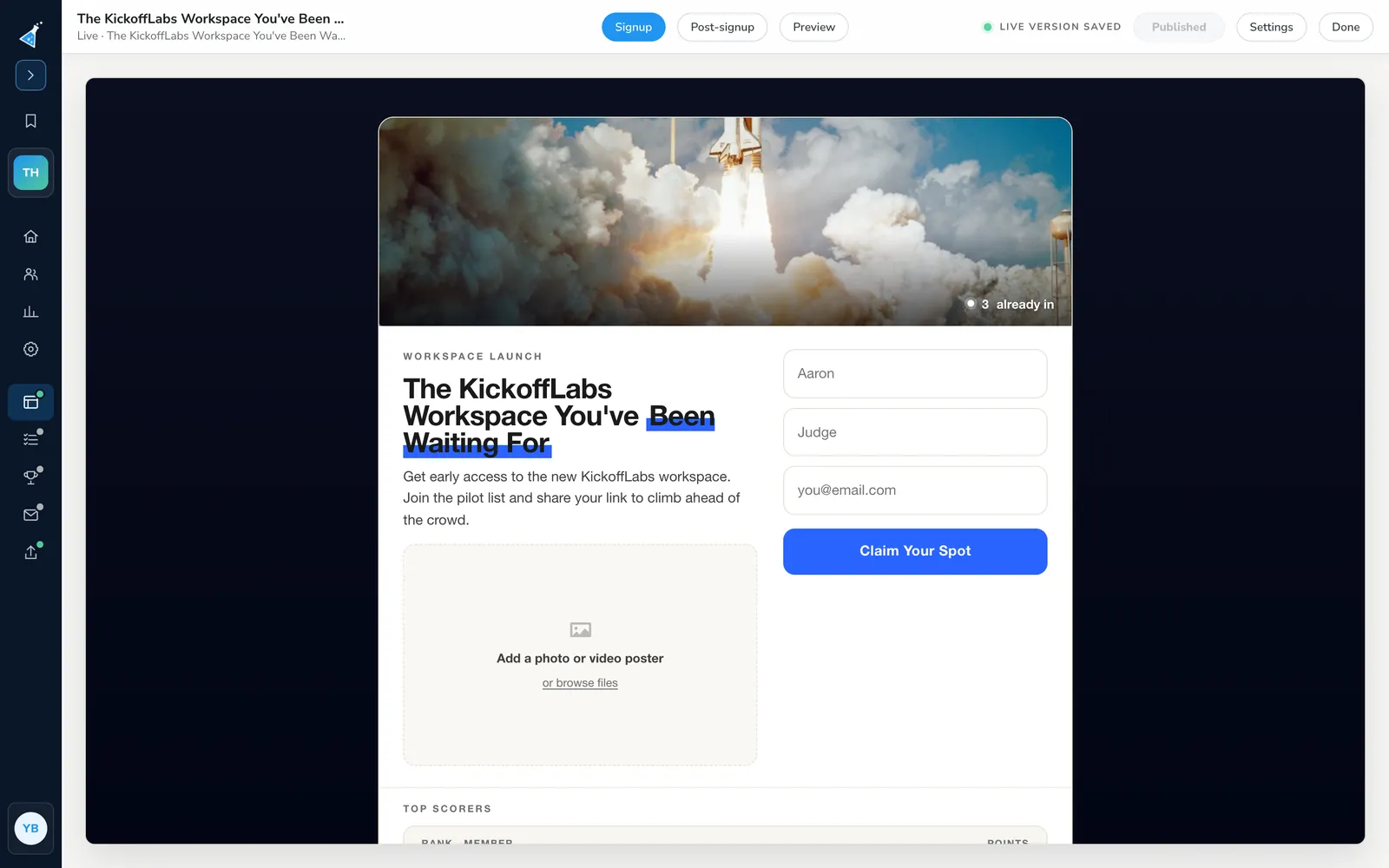
Check the headline, the form, the button text, and any rules or terms text. If you use the Simple box layout, see header image size for simple box pages.
-
Check what people see after signup
Section titled “Check what people see after signup”Switch to Post-signup. This is the view people see right after they join, and it is where the referral loop starts. It shows their position, their personal referral link, and the share buttons.
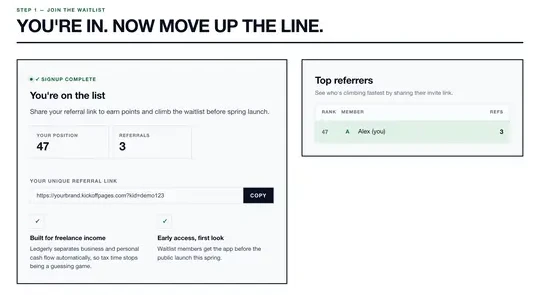
Make sure the copy here tells people exactly what sharing does, such as “every friend who joins moves you up the list”, and that it matches what the signup view promised.
-
Set scoring, and rewards if you use them
Section titled “Set scoring, and rewards if you use them”Open Scoring & actions. The recipe sets points for joining and for each direct referral. People with more points rank higher on the waitlist. You can also add actions, such as following you on social media, to earn extra points.
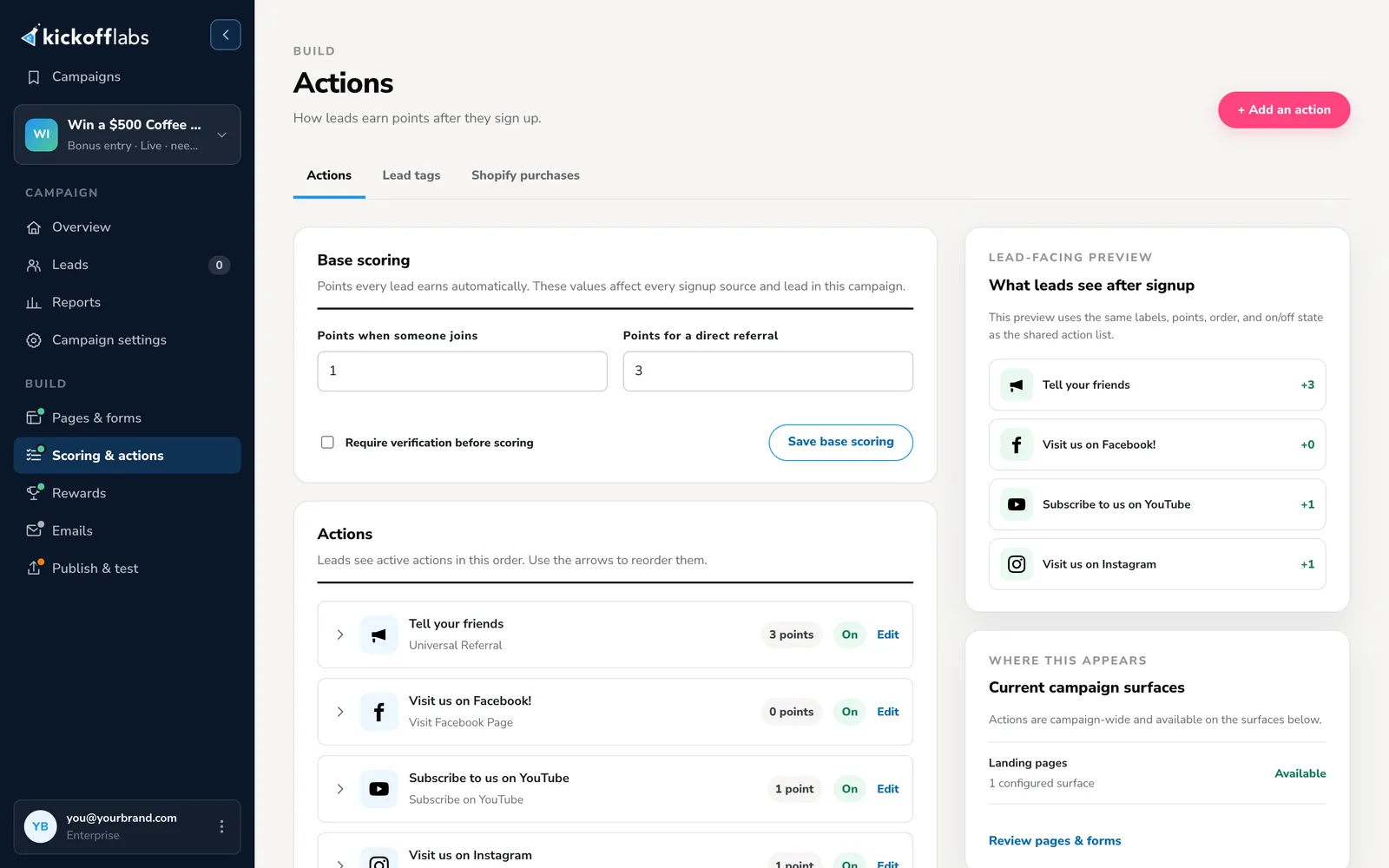
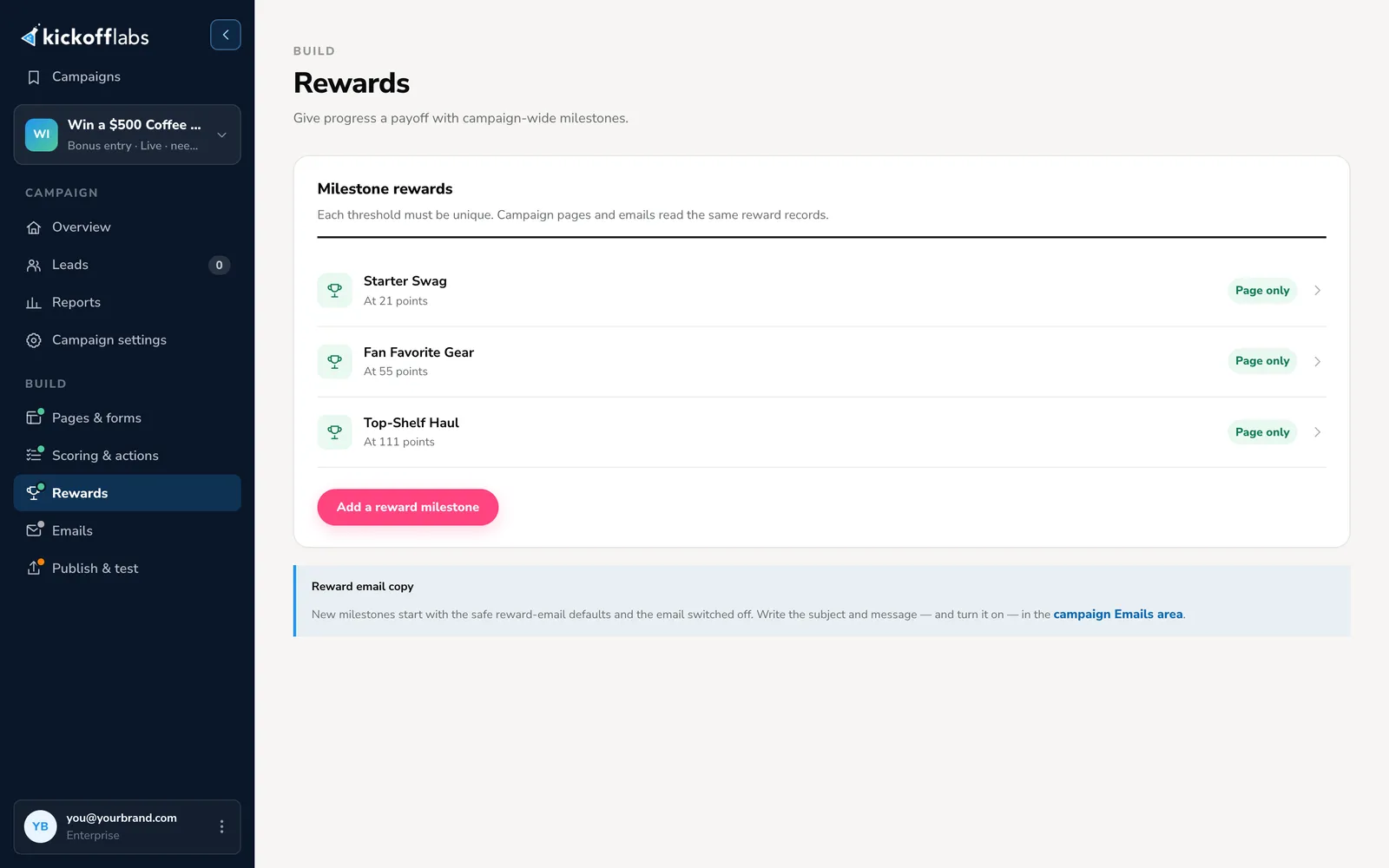
If you picked Waitlist + Milestone Rewards, open Rewards and check each milestone’s name and threshold.
-
Turn on emails
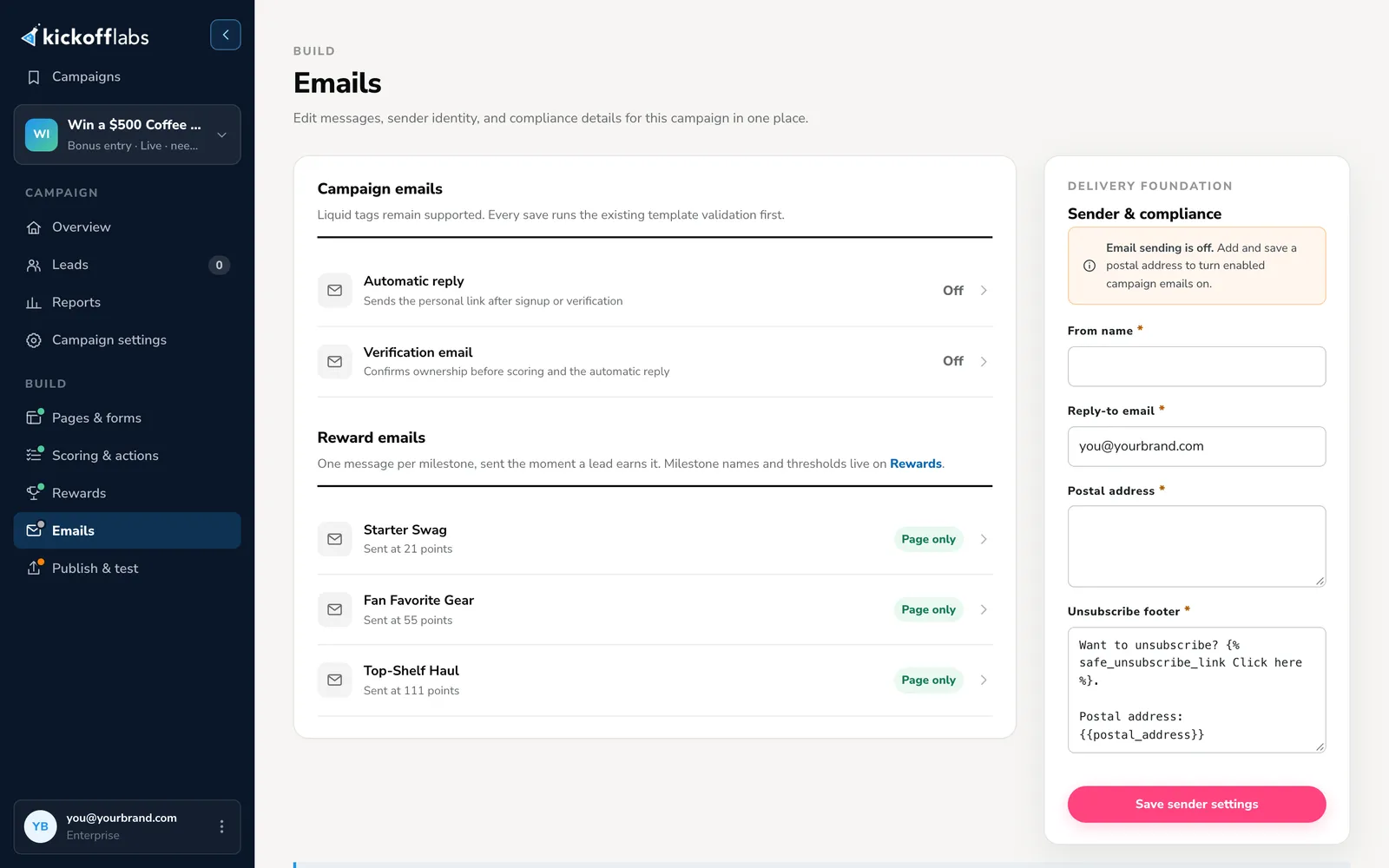
Section titled “Turn on emails”Open Emails. The Automatic reply sends each new subscriber their personal link, so they can share later. The Verification email confirms their address. Reward emails go out when someone reaches a milestone.
Each email has its own on/off switch. Open each one you want to use, check its wording, turn it on, and save it. Reward emails start switched off. If you turned on Require verification before scoring, turn on the Verification email too, or referrals will never count.
-
Publish and test
Section titled “Publish and test”Back in the designer, select Preview to check both views on desktop and mobile, then publish. Open Publish & test and select Run signup test to send a test lead through the campaign.
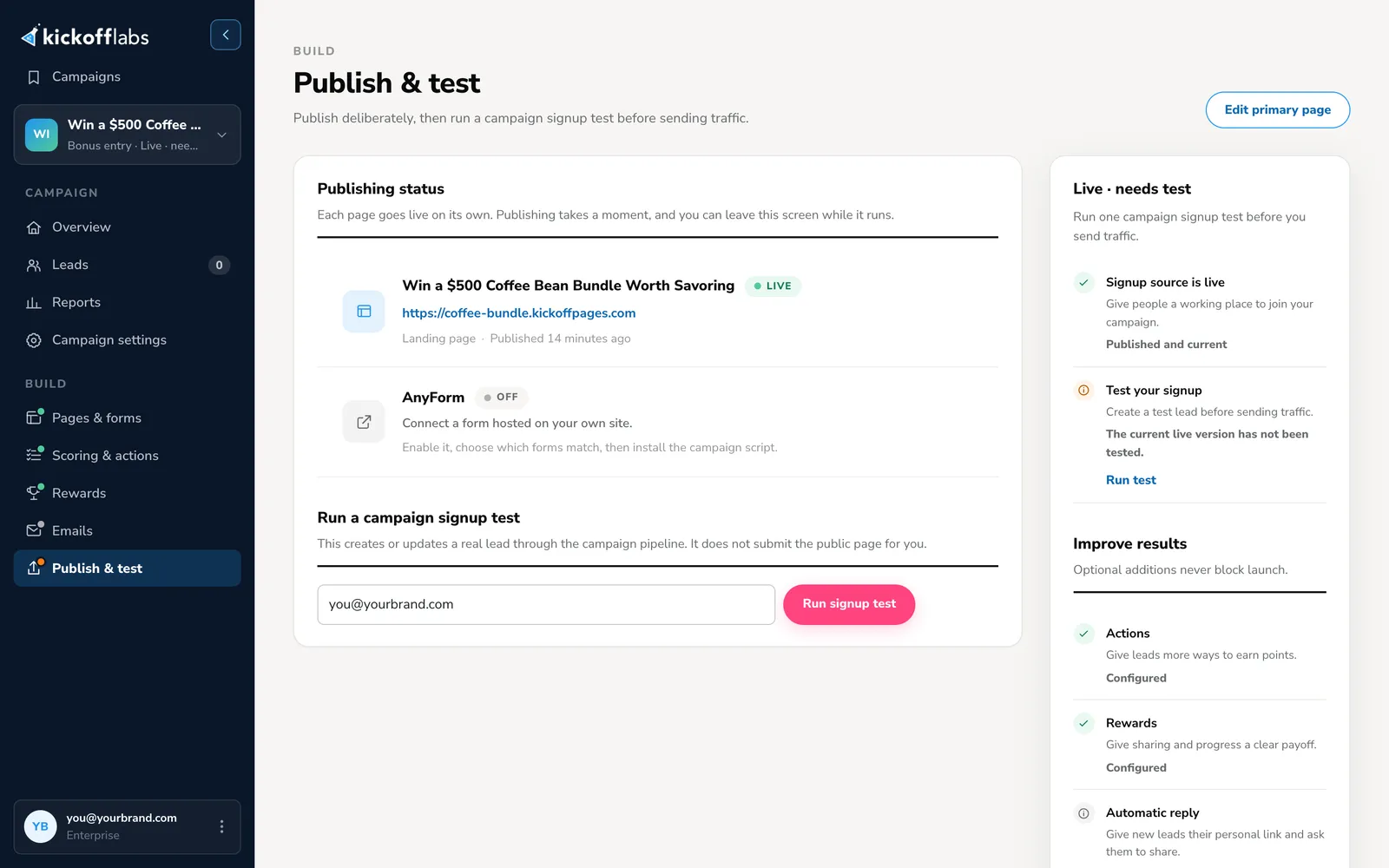
Then test the referral loop yourself:
- Open the public page, sign up with your own email, and copy your share link.
- Open that link in a private window or another browser and sign up with a second email.
- If verification is on, confirm both addresses from their verification emails. Until then, the referral stays pending.
- Check that the first lead’s referral count and score went up, and that the emails arrived. Its position only moves if the new score puts it ahead of someone else, so a lone test lead may already be #1.
- Repeat the test on a phone to make sure the copy and share buttons work there.
Tips for a waitlist that grows
Section titled “Tips for a waitlist that grows”- Make one specific promise. “Get early access to refillable skincare built for humid climates” gets shared. “Join the waitlist for something exciting” doesn’t.
- Keep the reward honest and consistent. If the page says “move up the line”, don’t say “earn bonus entries” in the email. Only promise priority access you can actually give.
- Use the after-signup moment. People are most likely to share right after they join. Keep the share link and the reason to share at the top of the post-signup view.
- Don’t go quiet. Send progress updates and product news while people wait, and a clear email when access opens. The waitlist email guide has a full sequence.
- Bring the first wave of traffic. Referrals multiply interest that already exists. Plan where your first visitors come from with these 30 prelaunch promotion ideas.
Go deeper
Section titled “Go deeper”- Building a Waitlist guide: the full strategy series.
- Robinhood waitlist playbook: a worked example of a referral waitlist.
- Referral waitlist guide: queue rules, verification, and launch waves.
- Waitlist reporting: what to measure once signups come in.
- In this help center: How waitlist rank works · Remove leads from a waitlist · Edit a page
Need help? Email support@kickofflabs.com with your campaign URL, the test lead email, and the result you expected.