What are the different campaign emails or SMS messages I can send?
Strategy guide: Want the bigger campaign playbook behind this setup? Read Referral Programs.
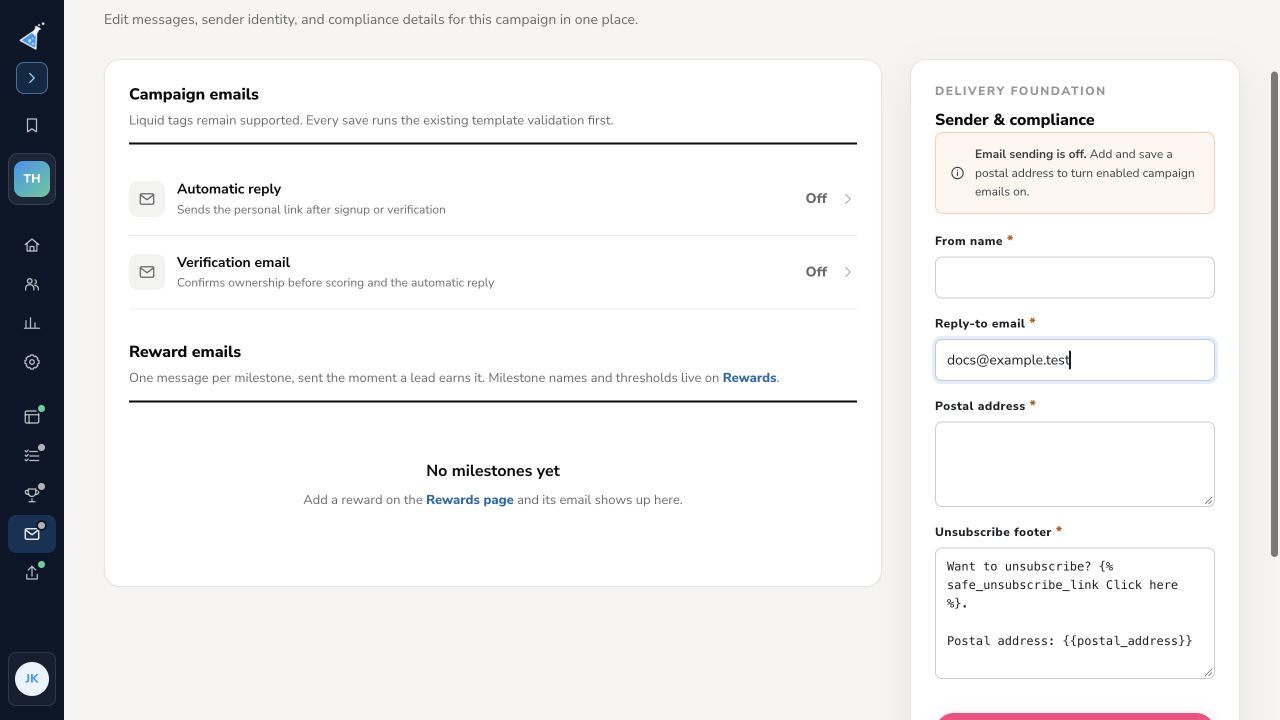
This article shows the difference between the four different types of KickoffLabs generated emails, which are automatically sent out when people sign up and refer leads to your campaign, as well as SMS messages.
1. [Verification Email](/
Section titled “1. [Verification Email](/”on-emails-to-require-double-opt-in)
When are they sent?
Section titled “When are they sent?”After a new leads signs up, they will be required to manually verify their email address (commonly known as double opt-in).
What is it used for?
Section titled “What is it used for?”- Provide an integrated double opt-in experience.
- Help prevent fake emails from skewing results.
- Safest solution for campaigns with significant value. This email is optional, you can skip it and go for single opt-in instead with the Automatic Reply.
2. [Automatic Reply](/leads-messaging/messagingsetting-up-…
Section titled “2. [Automatic Reply](/leads-messaging/messagingsetting-up-…”an-automatic-reply-email)*
When are they sent?
Section titled “When are they sent?”Immediately after the lead signs up (or has verified their email if using Verification Emails). You can optionally have the auto-reply mail turned completely OFF for the contest.
What is it used for?
Section titled “What is it used for?”- Skip the verification email with single opt-in.
- Welcome/thank a new lead for signing up.
- Deliver downloadable opt-in bribes & coupons.
- Remind them about any incentive for sharing.
3. [Reward Level Emails](/referrals-rewards/scoring-rewardsr…
Section titled “3. [Reward Level Emails](/referrals-rewards/scoring-rewardsr…”eward-level-emails)
When are they sent?
Section titled “When are they sent?”After a lead has reached specific referral milestones. For example: after 3, 5, 10 & 20 referrals. These need to be created in order to be sent. You can get notifications when leads reach referral goals.
What is it used for?
Section titled “What is it used for?”- For campaigns that define specific sharing goals and rewards for your leads.
- Delivering specific rewards for a lead reaching referral totals you define.
- Telling the lead what they will get if they reach the next reward level.
4. [Broadcast Emails](/leads-messaging/messagingsending-br…
Section titled “4. [Broadcast Emails](/leads-messaging/messagingsending-br…”oadcast-emails)
When are they sent?
Section titled “When are they sent?”Broadcast Emails are bulk emails sent to the entire list or to an audience when you choose to do so.
What is it used for?
Section titled “What is it used for?”- They can be send for various reasons, for example, to remind people with zero points to get engaged.
5. [SMS](/leads-messaging/messagingsetup-sms-contest-messa…
Section titled “5. [SMS](/leads-messaging/messagingsetup-sms-contest-messa…”ges-with-your-campaign) Today KickoffLabs can capture your leads phone number and send two text message back to your participants. One to confirm their subscription and the other with a sharing code that’s used like the email automatic reply If you have any questions regarding how to best integrate KickoffLabs emails, contact support@kickofflabs.com
Need help? Email support@kickofflabs.com with your campaign URL, the lead email you tested with, and a screenshot of what you expected to happen.