

Export your leads
Use a lead export when you need a CSV for analysis or another tool. The export uses the campaign and the search criteria visible when you request it.
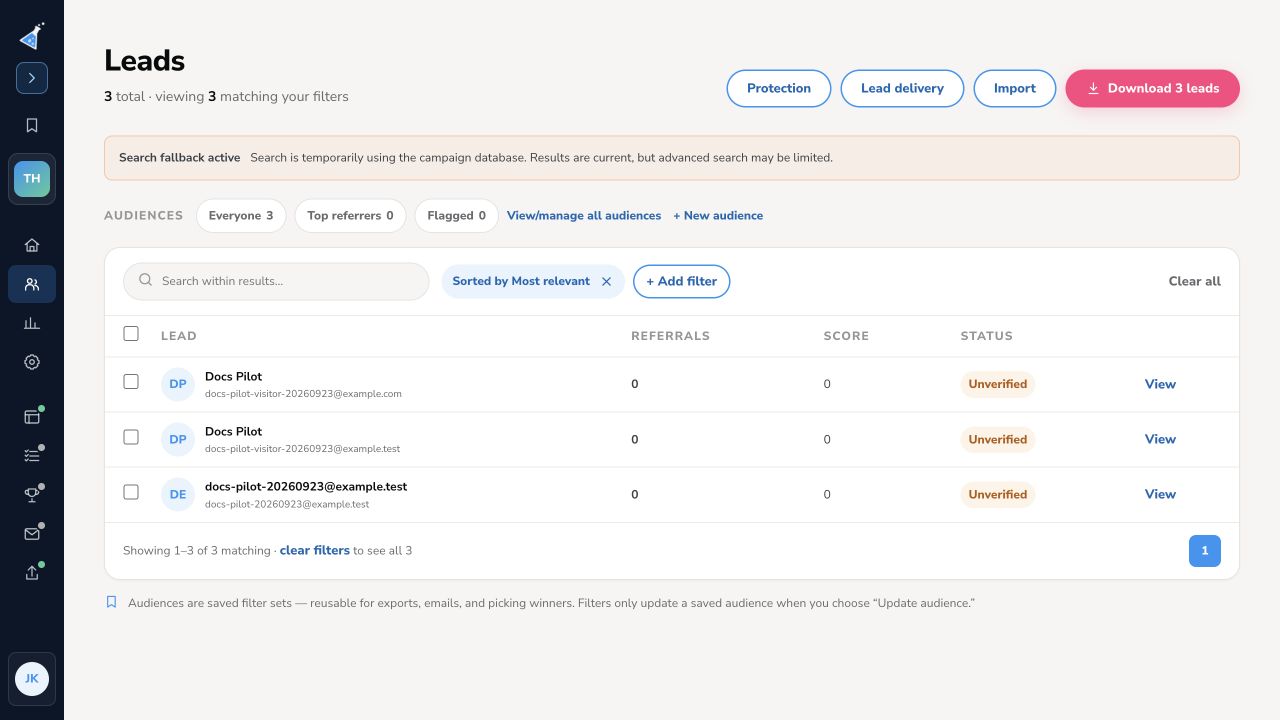
Export all campaign leads
Section titled “Export all campaign leads”- Open your campaign and select Leads.
- Clear any search, audience, or filter that should not affect the export. Check the count of matching leads at the top of the page.
- Select Download N leads. KickoffLabs queues the export immediately and opens Lead export.
- The export page shows the frozen criteria and checks for the finished file automatically. Leave it open for a download link, or use the link emailed to you when it is ready.
Export a segment
Section titled “Export a segment”Choose an audience or apply lead filters first. Check the matching count, then select Download N leads. The export is scoped to those criteria as they were when you clicked the button; changing the Leads screen later does not change a queued export.
Open the CSV and spot-check its columns and a few leads before importing it elsewhere. If you need to share the file, handle lead contact details according to your team’s data practices.
Need help? Email support@kickofflabs.com with your campaign URL, the matching lead count, and the export status shown on screen.