

Create a free-download campaign
A free-download campaign, also called a lead magnet, trades a checklist, guide, template, or ebook for an email address. People see the download button on the page right after they sign up, and each one gets a share link so a useful file can spread. The on-page download is included on Free. Sending the file by email as well needs email setup and plan access.
Deciding what to offer? The lead magnet campaigns page on kickofflabs.com shows examples and variations, and repurposing content into opt-in rewards has ideas for turning what you already have into a download. This article covers the setup.
Build it step by step
Section titled “Build it step by step”-
Choose the recipe and describe the download
Section titled “Choose the recipe and describe the download”From Campaigns, select + New campaign, open Lead magnet, and pick Free Download Lead Magnet.
Under Describe your campaign, say what the file is, who it’s for, and what they’ll get out of it. For example: “A free camera setup checklist for beginner photographers. Covers exposure, gear prep, and packing. No giveaway or deadline.”
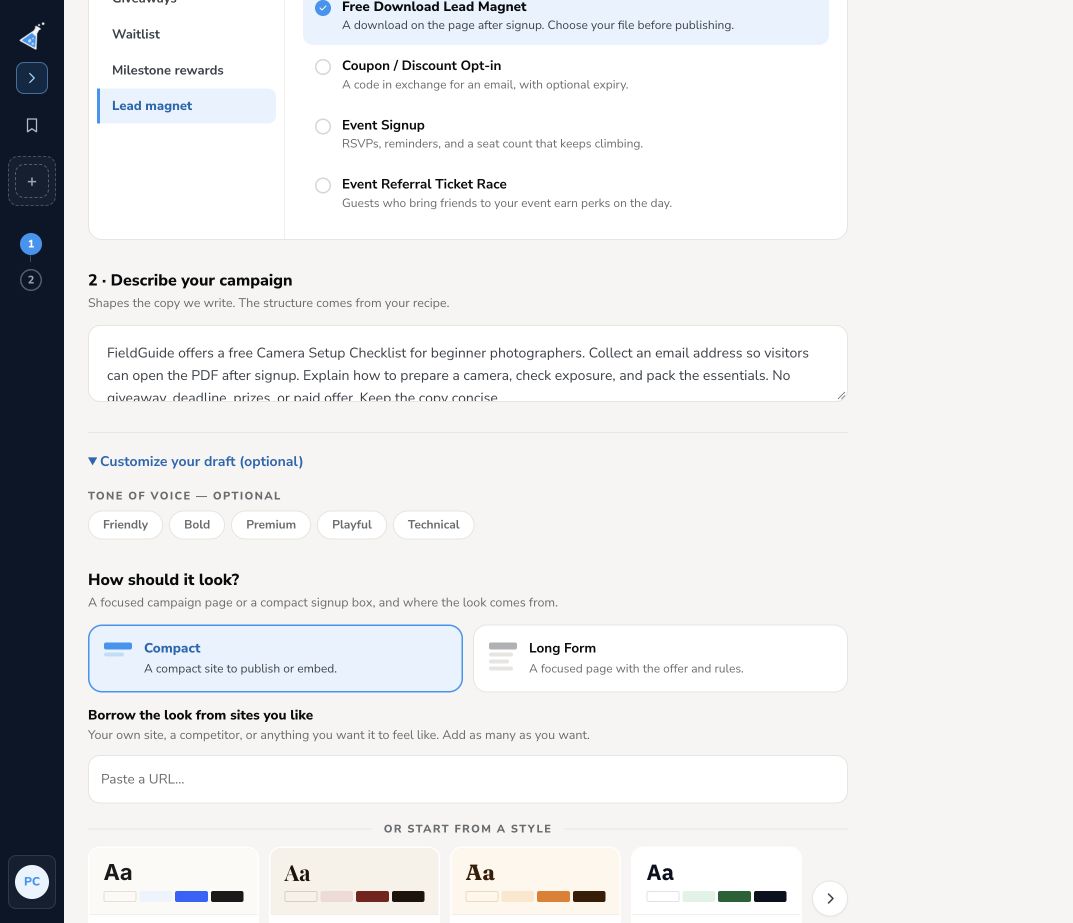
Open Customize your draft to choose Compact (a signup box) or Long Form (a full page with room to show what’s inside), a tone, and a starting style. Then select Create my draft.
-
Connect your file
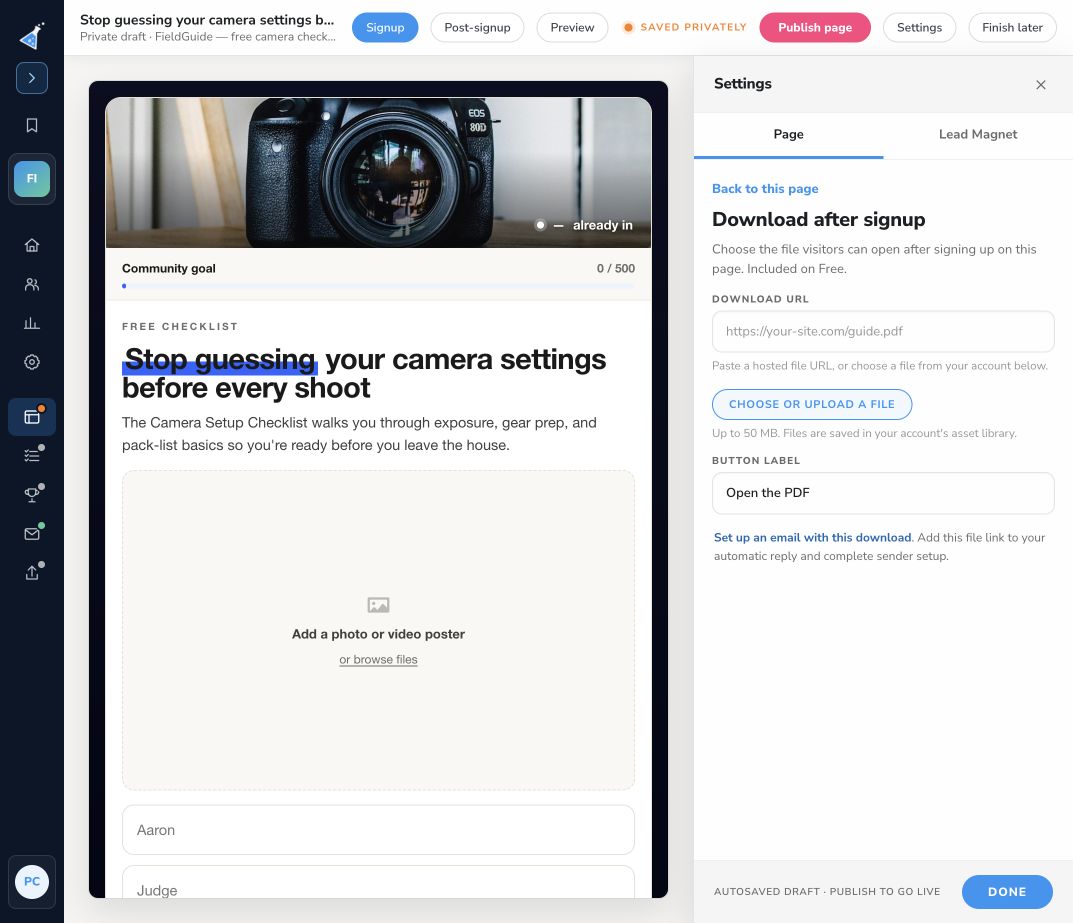
Section titled “Connect your file”The draft doesn’t include your file. In the designer, open Settings → Page → Download after signup. Paste a link to a hosted file, or select Choose or upload a file to upload one (up to 50 MB). Then set a clear Button label, such as “Open the camera checklist”.
-
Edit the signup view
Section titled “Edit the signup view”On the Signup view, click any text to edit it. Replace the sample image with a cover or preview of your file, and remove form fields you don’t need.
-
Check the download after signup
Section titled “Check the download after signup”Switch to Post-signup. This is what people see right after they join: a confirmation, the download button, and their share link.
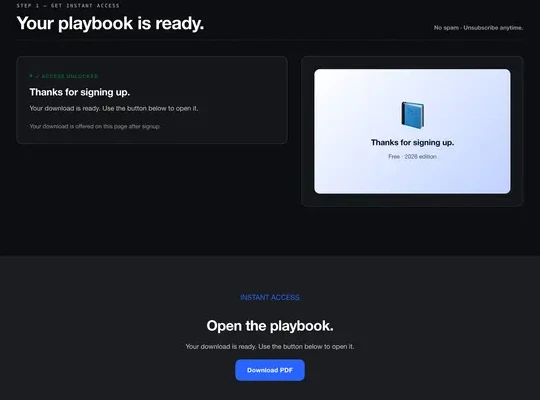
Check that the button label matches your file and that the share message gives friends a reason to grab their own copy.
-
Send it by email too (optional)
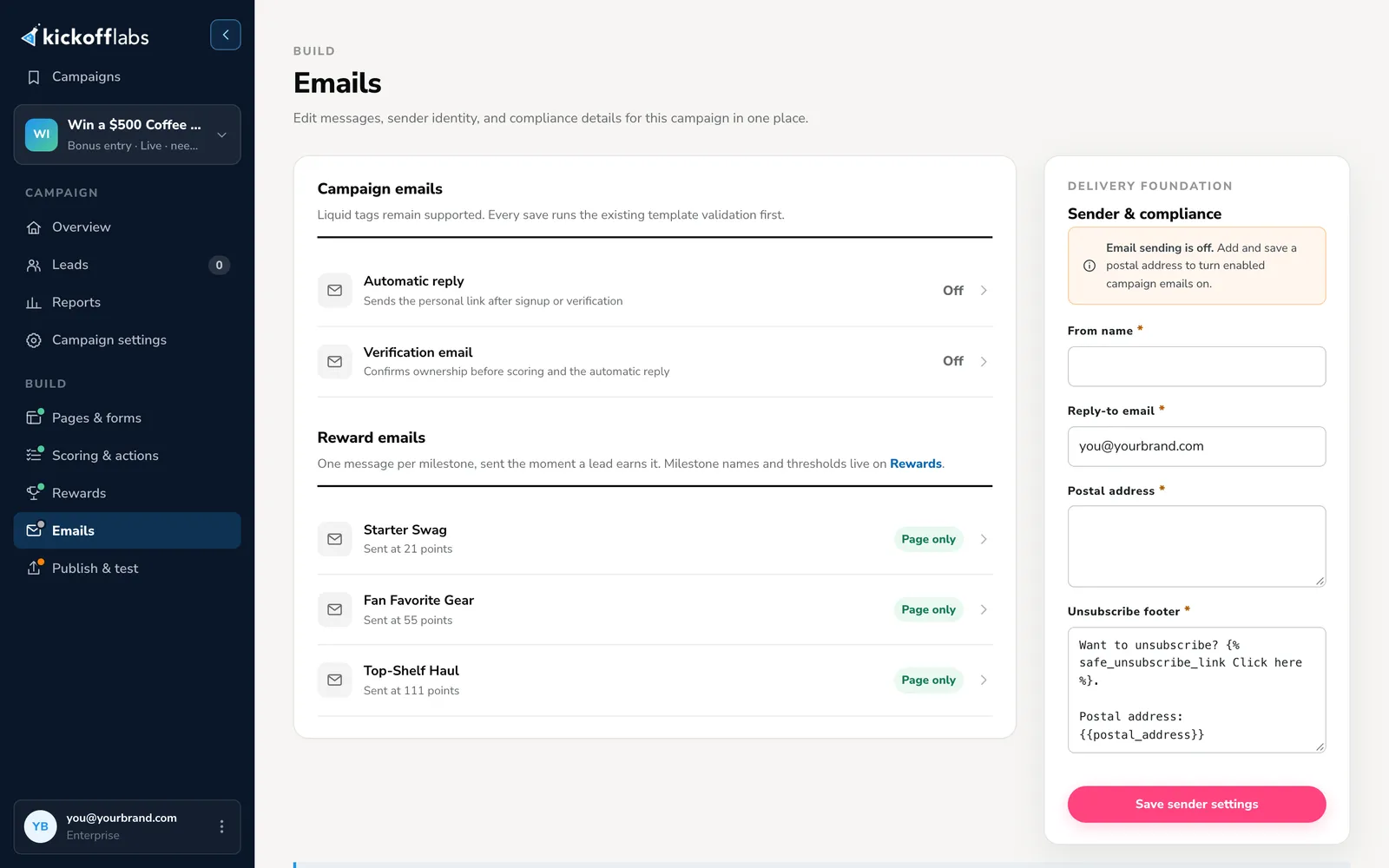
Section titled “Send it by email too (optional)”If you also want to email the file, open Emails and edit the Automatic reply. Add the file link to the message and turn the email on.
-
Publish and test
Section titled “Publish and test”Select Preview to check both views on desktop and mobile, then publish. Open Publish & test and select Run signup test.
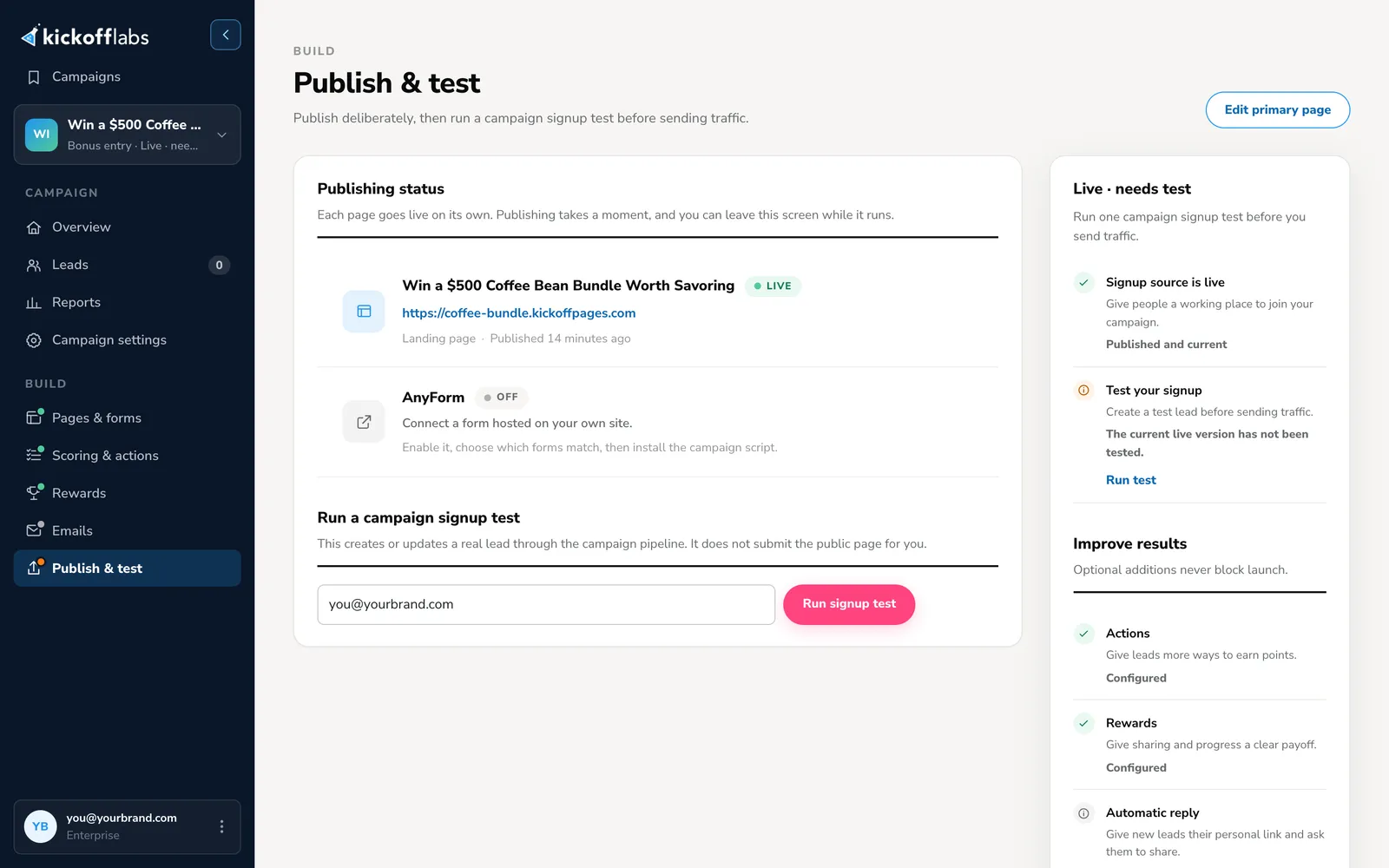
Then sign up on the public page with a fresh email address, the way a visitor would:
- Open the download from the button and check it’s the right file.
- Check that the lead appears in the right campaign under Leads.
- If you turned on the email, check that it arrived and its link works.
Tips for a download people want
Section titled “Tips for a download people want”- Solve one specific problem. “The 12 emails every product launch needs” beats “Our ultimate marketing guide”.
- Make it quick to use. Checklists, templates, and short guides get opened. A 90-page ebook often doesn’t.
- Put it where people already are. Besides the hosted page, you can show the same campaign as a popup or embed on your own site.
- Send leads to your email tool. Connect Mailchimp, Klaviyo, or another integration so new subscribers get your follow-up sequence.
- Add a reason to share when you’re ready. Milestone rewards or a community goal can turn a simple download into a growth loop.
Go deeper
Section titled “Go deeper”- Lead magnet campaigns: examples and variations, including coupon and event opt-ins.
- Repurposing content into opt-in rewards: ideas for what to offer.
- Copywriting for conversions guide: writing a page people sign up on.
- In this help center: Deliver a digital download after signup · Edit a page · Export your leads
Need help? Email support@kickofflabs.com with your campaign URL, the test lead email, and what happened when you opened the download.