

Search basics for a KickoffLabs campaign page
Search visibility begins with a public page that can be crawled. In KickoffLabs dashboard, open Pages & forms → Manage → Page settings → Search & browser. Set a descriptive browser title and page description, and review the noindex setting. In the KickoffLabs editor, write a visible headline that accurately describes the offer and helpful supporting text for visitors.
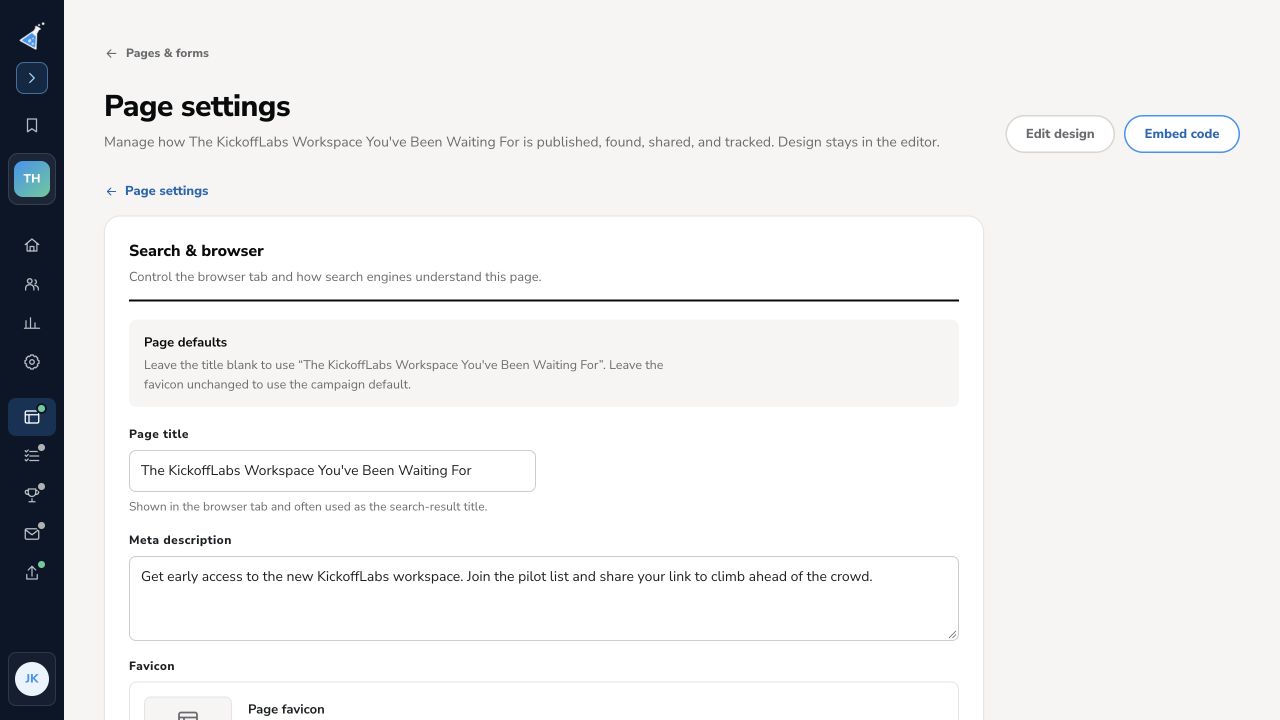
Publish the page, open its public URL, and inspect the title, description, and robots metadata. A draft preview is not a search destination. Do not add repetitive keywords or assume a fixed character count guarantees a particular search snippet: search engines can choose their own presentation. Google’s title-link guidance and Search Essentials explain the current basics. A campaign that is intentionally private or temporary may appropriately remain noindexed.
Need help? Email support@kickofflabs.com with your campaign and page URLs and the result you expected.