

Use KickoffLabs on an external website
A campaign can collect signups on a site you already own. Open Pages & forms in the KickoffLabs dashboard and choose the source that fits the page you have.
Choose a source
Section titled “Choose a source”- Embed: Create an Embed from + New page. Choose a template, edit the KickoffLabs page, then use its Embed code action. The install screen provides one campaign script for the site and a placement tag for each embed. The embed fills its container’s width and normally adjusts its height.
- Popup: Create a Popup from + New page. Edit it, then use Install code. One campaign script supports every popup and embed in that campaign on the same site.
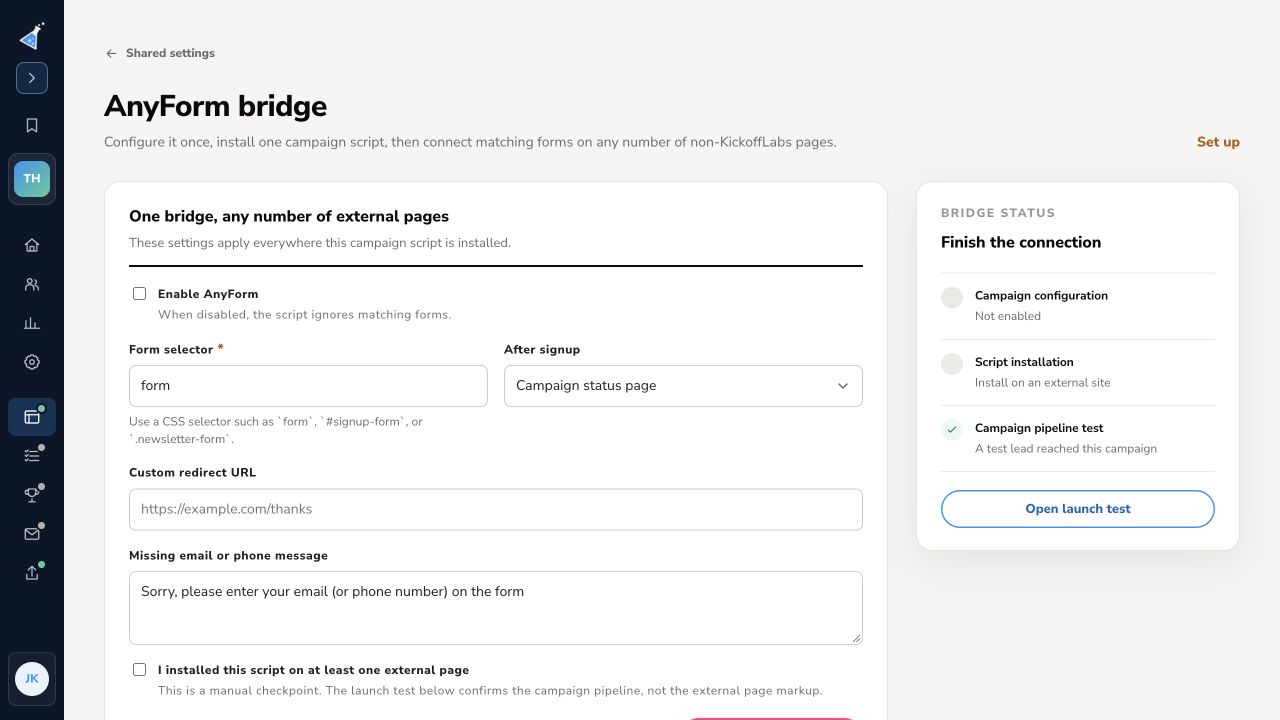
- AnyForm: Select Connect a form (AnyForm) when you want to keep an existing form and its visual design. Enable the campaign bridge, set the form’s CSS selector and post-signup destination, save, and install the campaign script on the external site. The script can connect matching forms on more than one page. See AnyForm setup.
New KickoffLabs landing pages use the KickoffLabs editor; the template-based embeds and popups in the tested KickoffLabs flow open the existing editor after creation. Do not install an older per-page AnyForm script and the campaign-wide bridge script on the same external page.
Install and test
Section titled “Install and test”- Publish the KickoffLabs embed or popup page. An unpublished page will show nothing where its code is installed.
- Add the campaign script to the external site’s HTML once, ideally before the closing body tag or in its script manager.
- For an embed, place the separate placement tag where the form should appear. For a popup, follow the install screen’s code and behavior controls.
- Publish the external site and load it in a fresh browser session. Submit a synthetic lead and verify it in Leads in the campaign. Check the post-signup state and referral attribution too.
The steps for adding custom HTML differ by site builder. See the embed and platform guide for builder-specific examples. If a builder removes scripts or wraps them in a restricted iframe, use a hosted KickoffLabs page instead.
Need help? Email support@kickofflabs.com with the external page URL, campaign URL, source type, and test lead email.