

Personalize emails with placeholders
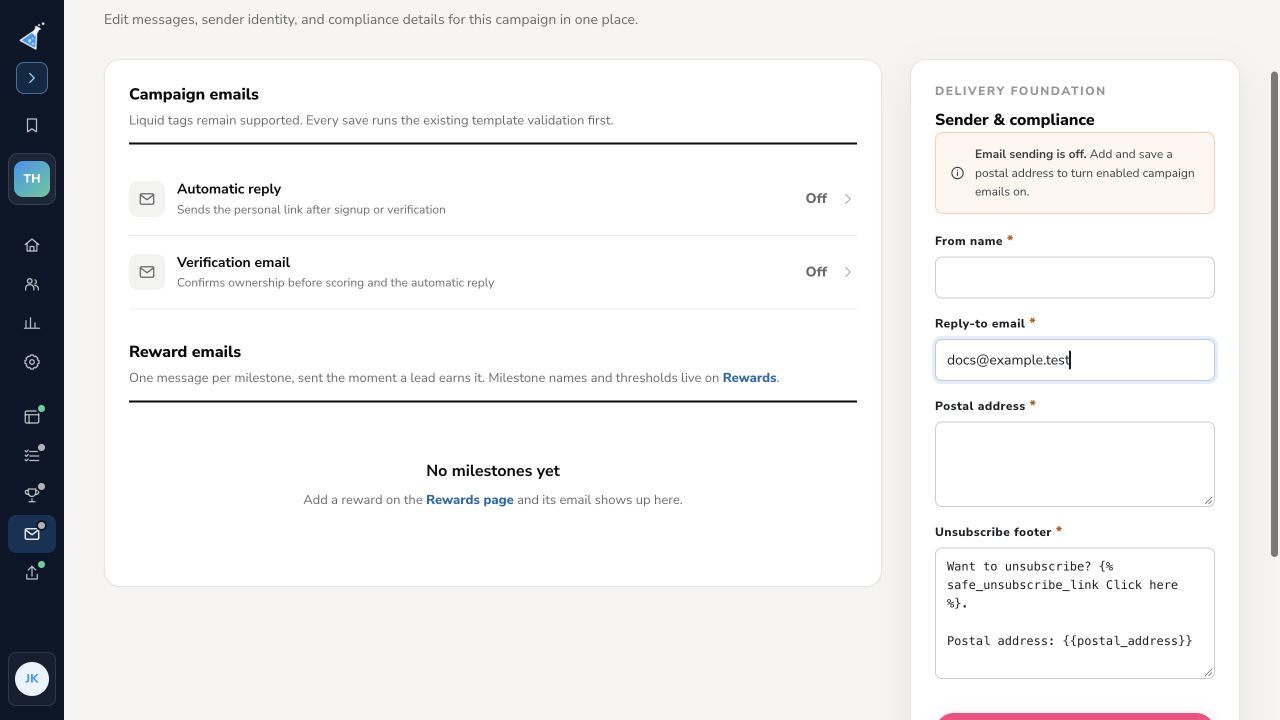
Email placeholders are short pieces of code that KickoffLabs replaces with each recipient’s details or personal links when an email sends. Open Emails in the campaign, expand a message, and insert a placeholder in its body. Keep the braces and percent signs exactly as shown. The editor supports visual formatting and Edit HTML source; saving checks the message. Send a test to an address you control before enabling it.
Lead fields
Section titled “Lead fields”{{ lead.email }}inserts the lead’s email address.{{ lead.given_name | default: "there" }}uses the first name when present and a fallback otherwise.{{ lead.family_name | default: "" }}uses the last name when present.{{ lead.custom_fields.FIELD_NAME }}inserts a captured custom field. ReplaceFIELD_NAMEwith the actual field key used by your campaign.{{ lead.contest_score }}and{{ lead.contest_score_rank }}refer to the lead’s score and score-based place. Test with a lead that has the relevant data.
Personal links
Section titled “Personal links”{% status_page_link Check your status %}creates a link to the campaign’s configured status destination for this lead. The default automatic reply uses this placeholder.{% page_link %}outputs the lead’s personal campaign share URL.{% verify_link Verify my email %}creates a verification link when verification is part of the campaign flow.{% share_buttons %}inserts a row of share buttons. You can also add an individual link, such as{% share_facebook_link Share on Facebook %}or{% share_whatsapp_link Share on WhatsApp %}.
The older thankyou_link placeholder still works as an alias for status_page_link. Use status_page_link for new messages. A status link needs a configured destination; if one is missing, the preview can show a warning. See set a personal status link.
Before sending
Section titled “Before sending”Use Send test for the message and inspect the received email, including links and fallback names. Confirm a test lead reaches the correct page and that its status is personal to that lead. The Sender & compliance section requires a saved postal address before enabled campaign emails can send.
Need help? Email support@kickofflabs.com with the campaign URL, placeholder, message type, and rendered test result.