

Choose how names appear on leaderboards
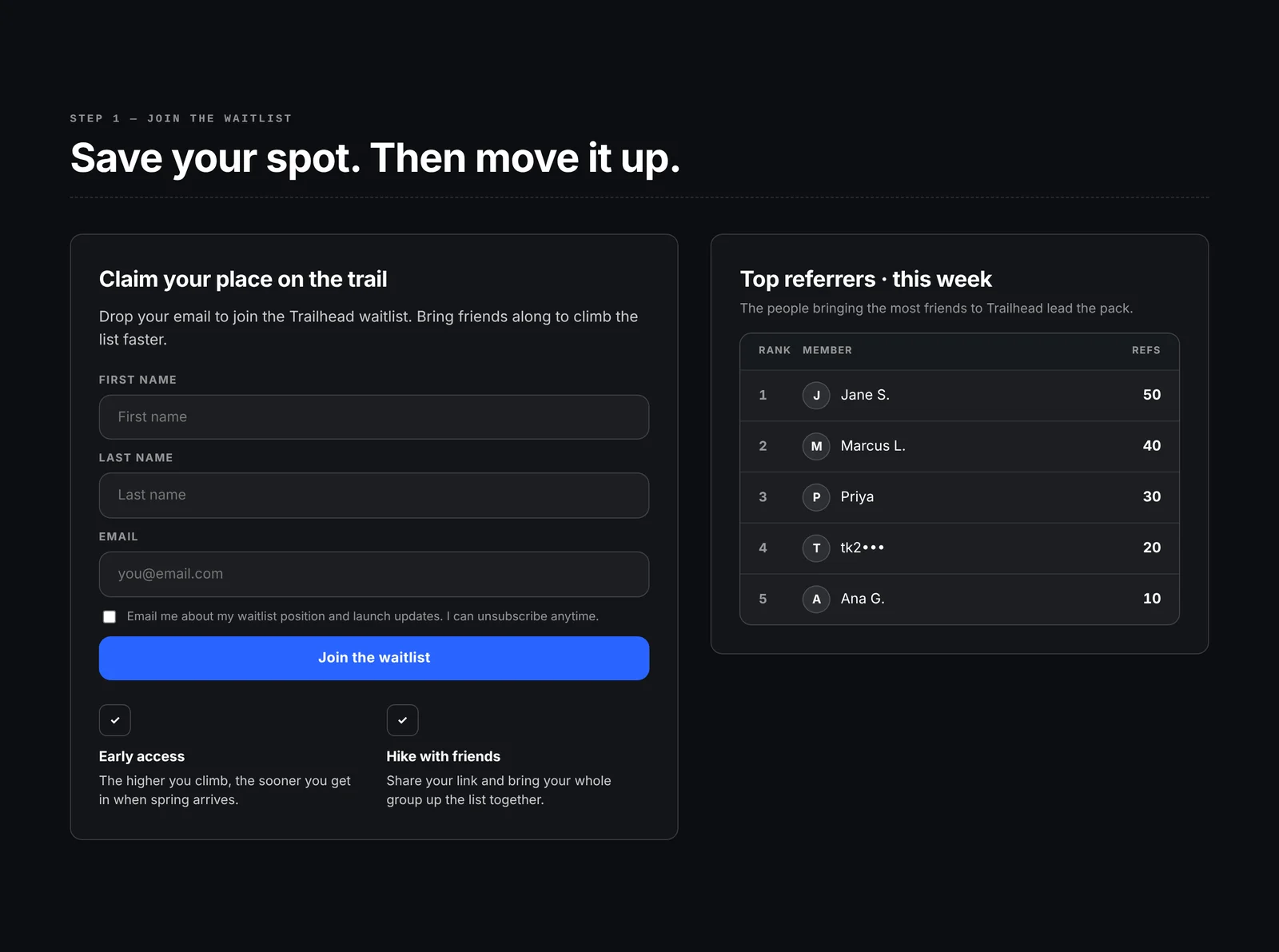
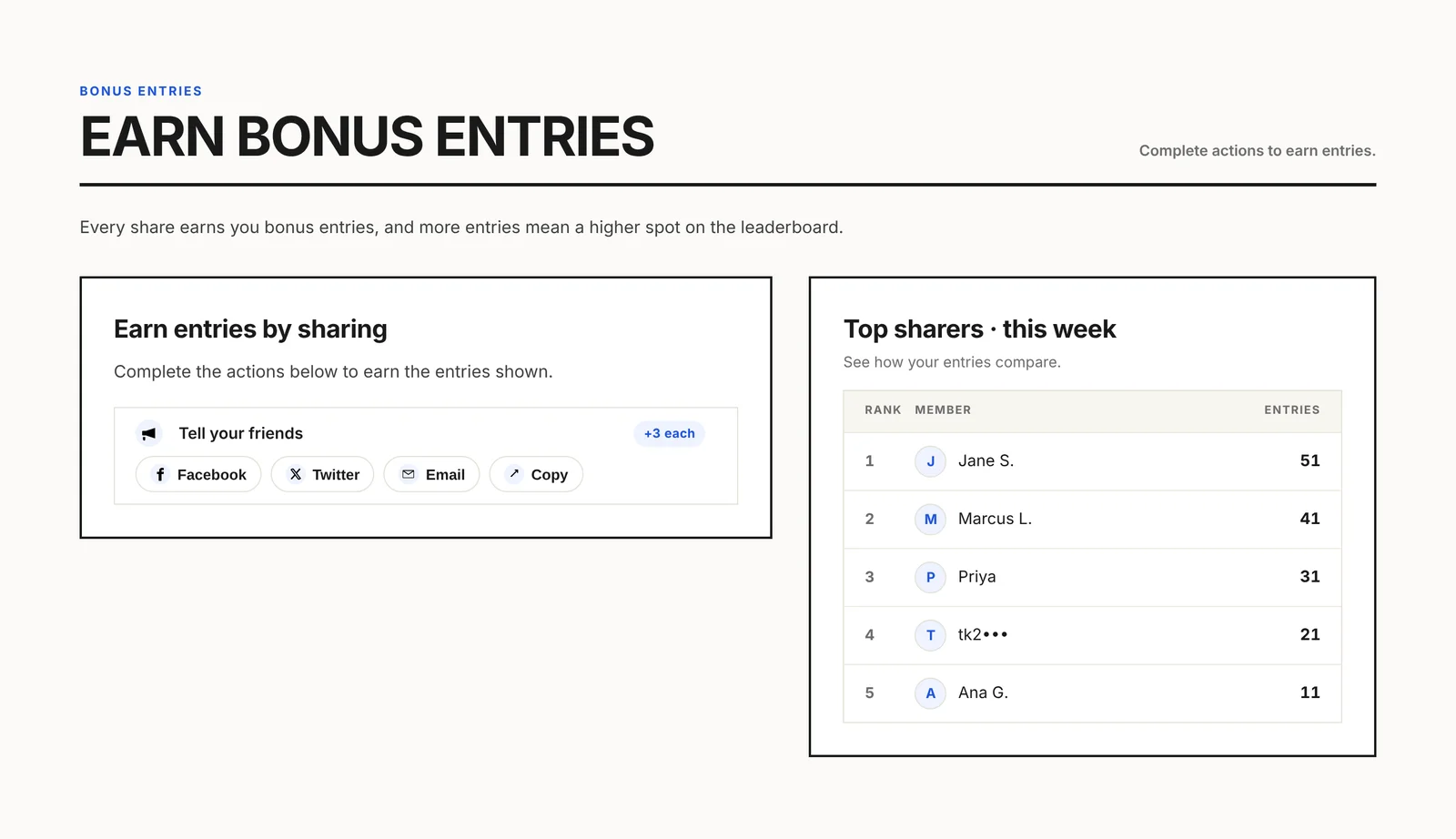
Leaderboards show a name for each lead next to their rank and score. One campaign setting decides what that name is, so you can show people a friendly name like “Jane S.” without putting their email address on a public page.
Name options
Section titled “Name options”| Option | Example | Good for | | --- | --- | --- | | First name + last initial | Jane S. | Most campaigns. Friendly and private. | | First name | Jane | Campaigns that only ask for a first name. | | Full name | Jane Smith | Communities where people already know each other. | | Partly hidden email | jan••• | Email-only forms. Recognizable to the lead, hidden from everyone else. | | Email username | jane.smith | The part of the email before the @. This is what older campaigns showed. | | Referral code | a1b2c3 | Fully anonymous boards. | | Your custom fields | JaneRuns | A field you collect, such as a nickname or team name. |
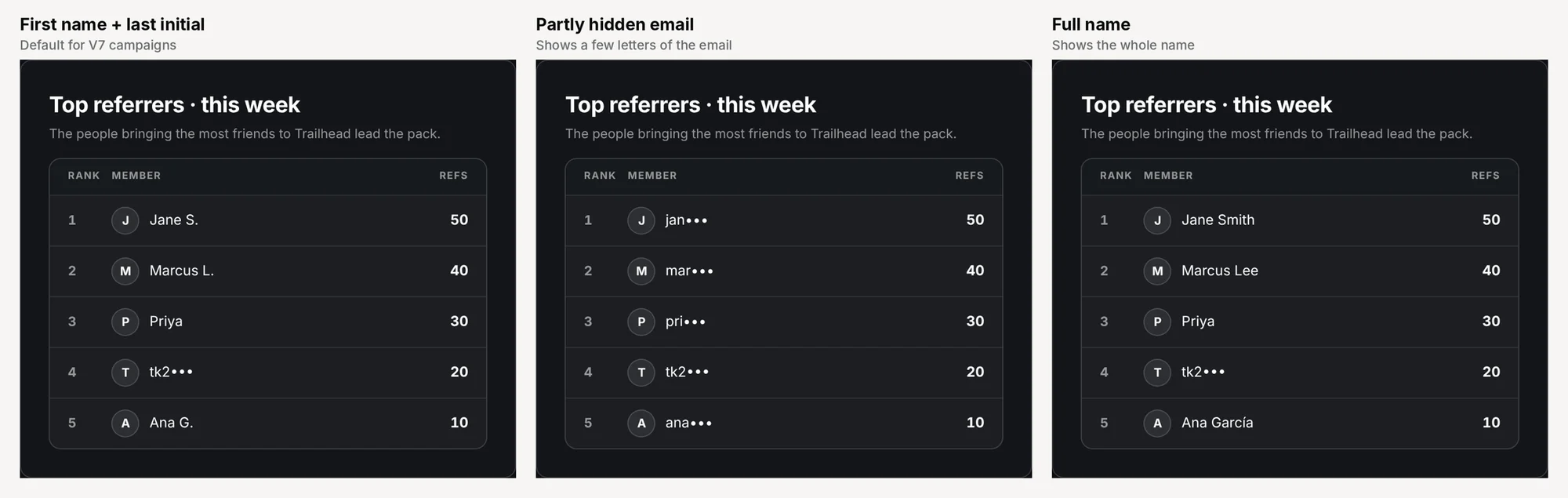
If a lead doesn’t have the field you picked (for example, they signed up with only an email), the leaderboard shows a partly hidden email for that lead instead. Names appear as people typed them. Only First name + last initial capitalizes the first letter.
Change the setting
Section titled “Change the setting”-
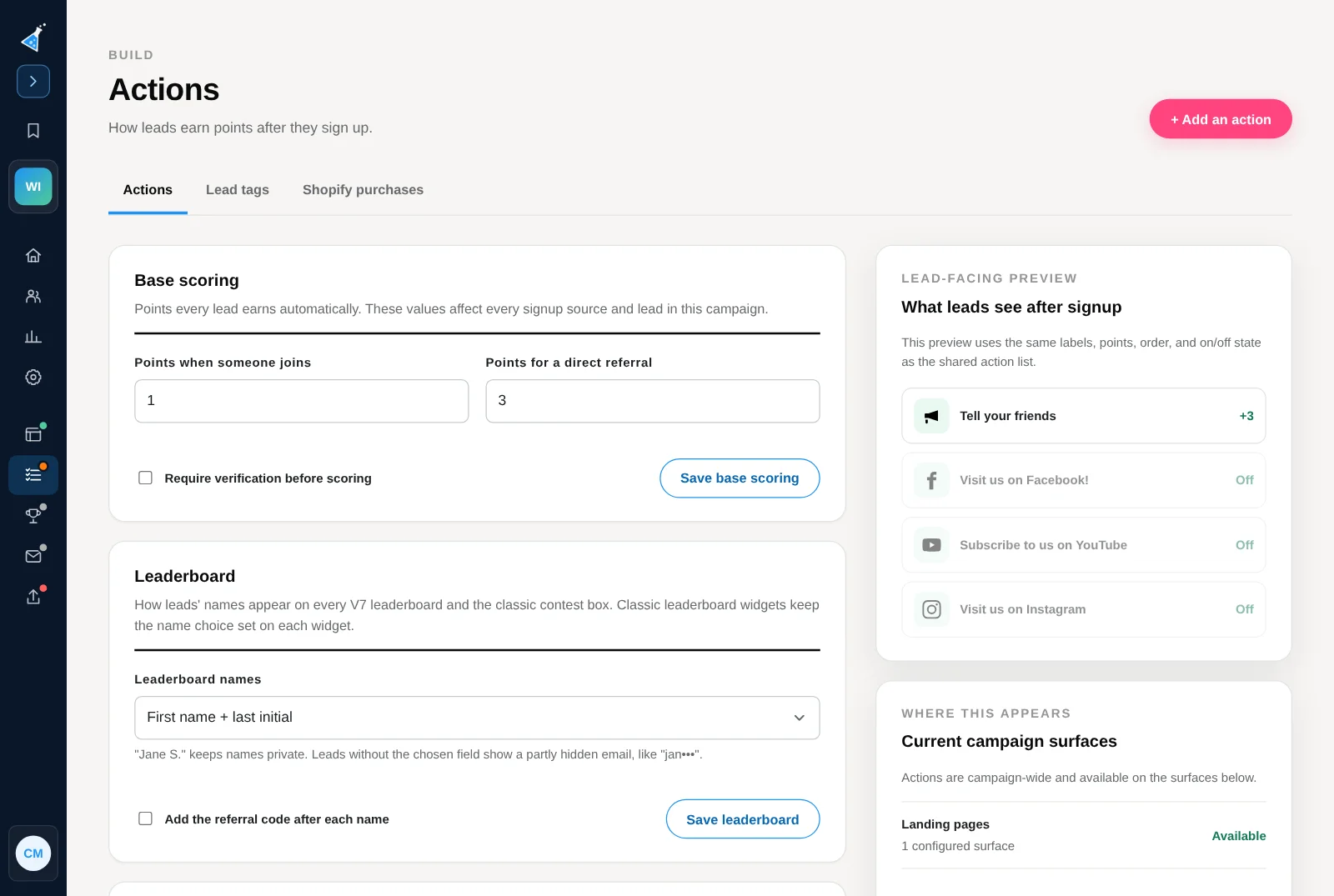
Open the campaign and select Scoring & actions in the left menu. The page opens on the Actions tab.
-
Scroll to the Leaderboard section, below Base scoring.
-
Pick an option under Leaderboard names.
-
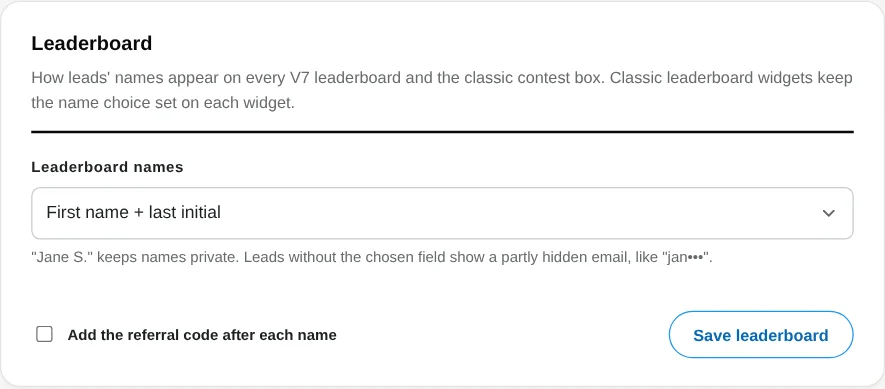
Optional: check Add the referral code after each name to tell apart two leads with the same name.
-
Select Save leaderboard.
You don’t need to republish your pages. Open the page again and the leaderboard shows the new names. After someone signs up, their own row is marked (you).
Where the setting applies
Section titled “Where the setting applies”- Every leaderboard on KickoffLabs designer pages. That includes the Simple box layout and every long-form section with a leaderboard: Signup + Leaderboard, Bonus entries, and Signup with entries.
- The classic contest box.
- Leaderboards on all of the campaign’s pages. A campaign with several pages uses the same names on each one.
Leaderboard widgets you dragged onto a page in the classic editor keep their own Lead Names choice, set on each widget. See the classic leaderboard guide.
Default names
Section titled “Default names”- Campaigns made in the KickoffLabs designer start with First name + last initial.
- Older campaigns start with Email username so their pages look the same as before. Switch to First name + last initial or Partly hidden email to keep email addresses off the page.
- Add a first and last name field to your signup form if you want “Jane S.” for everyone. Leads without a name show a partly hidden email.
- Ranking is set by your scoring rules, not this setting. Set points for joining, referrals and actions.
- To check how a lead’s score was earned, read about contest score.
Need help? Email support@kickofflabs.com with your page URL and the names you expected to see.